
 EN
EN
In high-performance computing environments, few problems are as quietly destructive as thermal throttling. When a graphics processing unit reaches unsafe operating temperatures, it automatically reduces its clock speed to prevent permanent damage — a self-protective mechanism that comes at a steep cost to performance and, over time, to overall GPU lifespan. For engineers, data center operators, and workstation users pushing GPU-accelerated workloads, understanding what causes thermal throttling is only half the battle. The other half is building and sustaining maintenance practices that actively prevent it from occurring in the first place.
This article is a practical, maintenance-focused guide designed to help B2B operators and technical professionals extend GPU lifespan through proactive, consistent care routines. Whether you manage a multi-GPU server rack, a CAD workstation cluster, or an AI training node, the principles outlined here translate directly into measurable improvements in stability, performance, and hardware longevity. Protecting your investment starts with understanding what goes wrong thermally — and how disciplined maintenance prevents it.
Understanding Thermal Throttling and Its Impact on GPU Lifespan
The Mechanics of Thermal Throttling
Thermal throttling is a firmware-level protection mechanism embedded in all modern GPUs. When the die temperature climbs beyond a defined threshold — typically in the range of 83°C to 95°C depending on architecture — the GPU automatically reduces core and memory clock frequencies to shed heat. This behavior prevents immediate hardware failure, but it introduces a vicious cycle: reduced performance leads to prolonged task execution, which extends the period of thermal stress, which in turn accelerates component wear.
From a maintenance perspective, the critical insight is that thermal throttling is not a one-time event — it is a symptom of a systemic cooling or airflow problem. If throttling occurs regularly, the GPU is being subjected to chronic thermal stress that gradually degrades capacitors, solder joints, and thermal interface materials. The cumulative effect is a shortened GPU lifespan that no firmware update or driver optimization can fully counteract. Addressing the root cause is the only effective strategy.
Understanding temperature data is the foundation of any prevention strategy. Operators should track not just peak temperatures but sustained average temperatures under load. A GPU that reaches 80°C briefly during a burst workload behaves very differently from one that sustains 80°C for hours across a training job. Both scenarios have different implications for GPU lifespan, and maintenance intervals should be adjusted accordingly.
How Thermal Degradation Accumulates Over Time
Thermal degradation in GPUs is a gradual, compounding process. Each high-temperature cycle causes microscopic expansion and contraction in the die, substrate, and solder bumps. Over hundreds or thousands of cycles, this mechanical fatigue can cause micro-fractures — particularly in the underfill material beneath the GPU die. These fractures do not cause immediate failure but progressively increase thermal resistance between the die and heatsink, making cooling less efficient over time.
Electromigration is another thermally accelerated failure mode. At elevated temperatures, metal ions within the GPU's transistor structures gradually migrate under the influence of current flow, eventually causing open or short circuits. This process accelerates exponentially with temperature — a GPU running consistently at 90°C may experience electromigration at five to ten times the rate of one running at 70°C. Extending GPU lifespan therefore depends heavily on keeping operating temperatures in a sustainable range.
Capacitors and voltage regulation components on the GPU PCB are also sensitive to sustained heat exposure. Electrolytic capacitors, in particular, lose capacitance and develop higher equivalent series resistance as their internal electrolyte evaporates due to thermal stress. These degraded components cause voltage fluctuations that further stress the GPU die, creating a feedback loop of accelerating wear. Preventive maintenance that controls temperature directly interrupts this cycle.
Cooling System Maintenance as the Primary Defense
Thermal Paste Replacement and Its Role in Longevity
Thermal interface material — commonly thermal paste or thermal pads — is the critical medium that conducts heat from the GPU die to the heatsink. Over time, thermal paste dries out, cracks, and loses conductivity. This degradation increases the thermal resistance between die and heatsink, causing temperatures to creep upward even when airflow and fan performance remain unchanged. Repasting the GPU is one of the highest-impact maintenance tasks available for extending GPU lifespan.
For professional and server-grade GPUs operating under continuous workloads, thermal paste replacement should be considered every 18 to 24 months. High-quality compounds with low thermal resistance and good longevity — such as those using silver or ceramic bases — are preferable in these applications. The application process must ensure full, even coverage of the die surface without overflow onto surrounding components. Proper repasting alone has been documented to reduce GPU temperatures by 5°C to 15°C in heavily used systems.
Thermal pads, used on VRAM modules and power delivery components, also degrade and should be inspected during repasting sessions. Compressed, cracked, or heat-hardened pads should be replaced with pads of equivalent thickness and thermal conductivity. Ignoring pad degradation while replacing only the primary thermal paste provides only partial thermal improvement and leaves secondary heat sources unaddressed.
Fan and Heatsink Cleaning Schedules
Dust accumulation is the most common and most overlooked contributor to thermal throttling in production environments. Dust insulates heatsink fins, reduces airflow through cooler channels, and coats fan blades — reducing both their aerodynamic efficiency and the volume of air moved per rotation. Even a thin, uniform dust layer on heatsink fins can measurably increase GPU temperatures under load. In industrial or office environments with high particulate levels, dust buildup can occur rapidly enough to cause performance degradation within weeks.
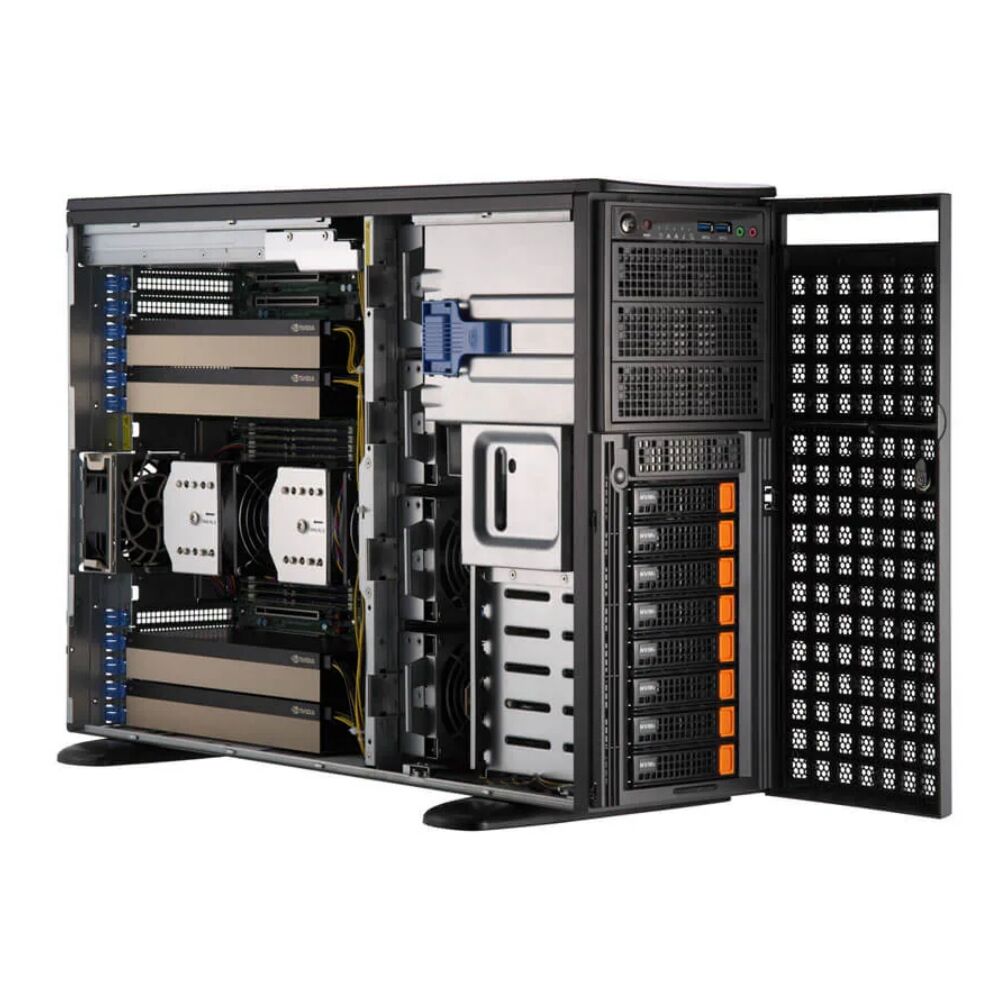
A structured cleaning schedule — ideally every three to six months in standard environments, or more frequently in dusty conditions — should include compressed air cleaning of heatsink fins, fan blade wiping, and inspection of intake and exhaust vents. For multi-GPU server platforms such as the GPU lifespan-critical configurations found in dense rack systems, scheduled maintenance windows should account for the increased thermal interdependency between cards installed in close proximity.
Fan bearing wear is a related but distinct maintenance concern. As fan bearings age, fans may spin below their rated RPM even at full control signal, reducing cooling capacity without triggering visible failure indicators. Monitoring fan RPM data through GPU management tools and comparing it against manufacturer specifications is an important diagnostic step. Fans showing persistent RPM drops below rated values should be replaced proactively rather than reactively.
Airflow Architecture and Environmental Controls
Optimizing Chassis and Rack Airflow for Sustained GPU Health
The physical configuration of a system chassis or server rack has a profound effect on GPU operating temperatures and therefore on GPU lifespan. Poor airflow architecture — including cable obstruction, misaligned baffles, inadequate exhaust capacity, or hot air recirculation — can create thermal dead zones where GPU exhaust heat accumulates and re-enters cooling intakes. Even high-end coolers cannot compensate for fundamentally flawed airflow design.
Proper cable management is a practical first step. Cables that run across GPU cooler intakes restrict the volume of cool air reaching the heatsink, forcing the cooling system to work harder to achieve the same thermal result. In multi-GPU setups, the vertical spacing between cards should be evaluated against manufacturer thermal requirements. Many high-performance GPUs are designed for two-slot spacing, and placing cards in adjacent slots without adequate airflow separation forces the upper card to draw pre-heated air shed by the lower card.
Positive pressure airflow configurations — where intake fans outperform exhaust fans — reduce dust ingestion but require filtered intakes to be effective. Negative pressure configurations move more air volume but draw unfiltered air through every chassis gap. Balanced configurations with defined intake and exhaust paths and sealed unused openings typically deliver the best combination of thermal performance and dust management for environments where long-term GPU lifespan is a priority.
Ambient Temperature and Data Center Environmental Management
The ambient temperature entering a GPU cooler sets the lower boundary for achievable GPU temperature. A GPU cooler operating in a 30°C ambient environment starts with a 30°C thermal handicap compared to the same cooler in a 20°C environment. This relationship means that data center or server room temperature management is directly linked to GPU operating temperatures and long-term GPU lifespan. ASHRAE recommends maintaining inlet air temperatures below 27°C for Class A1 equipment, with lower temperatures providing additional thermal headroom.
Humidity is a secondary environmental factor. Excessively high humidity accelerates corrosion on PCB traces and connector contacts, while very low humidity increases the risk of electrostatic discharge events that can cause latent damage to GPU circuitry. Maintaining relative humidity between 40% and 60% provides a safe range for both corrosion protection and ESD risk mitigation. Environmental monitoring logs should be retained as part of a comprehensive GPU maintenance record.
For facilities running dense GPU clusters, localized hot spots can develop even when average ambient temperature remains within range. Row-based or in-rack cooling solutions should be evaluated where heat density exceeds what room-level air conditioning can effectively manage. Proactive investment in environmental controls consistently outperforms reactive hardware replacement in total cost of ownership over a multi-year GPU lifespan horizon.
Software, Monitoring, and Operational Maintenance
GPU Monitoring and Proactive Thermal Alerts
Effective maintenance is impossible without visibility into what is actually happening thermally. GPU management tools — available natively through driver frameworks and third-party platforms — provide real-time access to die temperature, junction temperature, memory temperature, fan speed, power draw, and throttle state. Establishing baseline readings for each GPU under defined workloads creates a reference point against which future readings can be compared to detect early signs of thermal degradation.
Proactive alerting should be configured to notify operators when sustained temperatures exceed defined thresholds — for example, alerting when GPU temperature averages above 80°C for more than 15 minutes under standard workloads. This kind of threshold-based monitoring allows maintenance teams to investigate and intervene before thermal stress accumulates to the point where it visibly impacts GPU lifespan. Automated alerting is particularly valuable in unattended or lights-out data center environments where physical observation is infrequent.
Historical temperature logging enables trend analysis that can reveal slow-developing problems invisible in real-time snapshots. A GPU whose peak load temperature has increased by 3°C over six months — with no change in workload — is a clear indicator of thermal interface degradation or heatsink blockage. Trend-based maintenance decisions are more accurate and more cost-effective than time-based schedules alone, allowing resources to be directed toward GPUs showing actual signs of deterioration rather than applied uniformly across all hardware.
Driver Updates, Power Limits, and Workload Management
Software-level maintenance practices also contribute meaningfully to thermal management and GPU lifespan extension. Keeping GPU drivers up to date ensures that thermal management firmware, clock control algorithms, and power delivery profiles reflect the latest refinements from the hardware developer. Driver updates occasionally include improvements to thermal behavior under specific workload types, and running outdated drivers can leave beneficial thermal optimizations untapped.
Power limit adjustment is a powerful tool for operators willing to trade a modest amount of peak performance for meaningful temperature reductions. Most professional GPUs allow power limits to be reduced by 10% to 20% through driver controls. This reduction typically results in temperature drops of 5°C to 10°C under heavy load, with a compute throughput reduction of only 3% to 8% in many workloads. For scenarios where GPU lifespan and system stability are higher priorities than absolute peak performance, power limit reduction is a highly effective and underutilized maintenance lever.
Workload scheduling practices can also reduce thermal stress. Avoiding continuous 100% GPU utilization by introducing brief idle windows — where architecture allows — gives thermal systems time to recover between peak demands. In training pipelines or rendering farms where workloads can be shaped, scheduling high-intensity jobs during cooler periods of the day and distributing load across multiple GPUs rather than maximizing individual card utilization both contribute to a longer, more reliable GPU lifespan.
Physical Inspection and Long-Term Hardware Care
PCIe Connector and Slot Maintenance
Electrical connections between the GPU and the motherboard PCIe slot, and between the GPU and its power delivery cables, are often overlooked in thermal-focused maintenance discussions. However, oxidized or poorly seated connectors increase contact resistance, which generates localized heat at the connection point. Over time, this thermal stress degrades both the connector itself and the PCB traces adjacent to it, contributing to intermittent faults and accelerated wear that shortens GPU lifespan.
During scheduled maintenance windows, PCIe power connectors should be disconnected and inspected for signs of heat discoloration, oxidation, or physical deformation. Connectors showing these signs should be replaced. The PCIe slot contacts on the GPU card edge should be gently cleaned with appropriate contact cleaner if oxidation is visible. Reseating the GPU in its slot — ensuring it clicks firmly into the retention latch — eliminates connection resistance caused by mechanical loosening from thermal cycling or vibration.
In multi-GPU platforms installed in vibration-prone environments — such as those adjacent to industrial machinery or in mobile computing configurations — periodic reseating should be treated as a standard maintenance task rather than an occasional corrective action. Vibration-induced connector loosening is a common but preventable cause of both thermal management failures and GPU lifespan reduction.
Documentation and Maintenance Record Keeping
Comprehensive maintenance documentation is a professional discipline that directly supports GPU lifespan goals. Recording the date, type, and findings of each maintenance action — thermal paste replacement, cleaning, fan inspection, driver update — creates an asset history that enables informed decisions about warranty claims, hardware replacement timing, and root cause analysis when failures do occur.
Maintenance logs paired with historical temperature data provide the clearest possible picture of each GPU's wear trajectory. When a GPU begins showing signs of thermal instability, a complete maintenance record allows technicians to quickly determine whether the issue is likely to be thermal interface degradation, cooling system failure, environmental change, or workload increase. This diagnostic clarity reduces mean time to resolution and minimizes the risk of secondary damage caused by continued operation of a compromised system.
For organizations managing large fleets of GPU hardware, structured maintenance databases — even simple spreadsheet-based systems — have measurable business value. They enable maintenance cycle optimization, support capital planning for replacement hardware, and provide evidence of due diligence if hardware disputes arise with vendors or insurers. A well-documented maintenance history is a tangible component of responsible GPU lifespan management.
FAQ
How often should thermal paste be replaced to protect GPU lifespan?
For GPUs under continuous or heavy workloads, thermal paste should be replaced every 18 to 24 months. In lighter-use environments, every two to three years may be sufficient. However, if temperature monitoring shows unexplained increases in GPU operating temperatures — particularly under stable workloads — thermal paste degradation should be investigated as a likely cause regardless of time elapsed since the last replacement. Proactive repasting is one of the most cost-effective ways to extend GPU lifespan.
Can reducing the GPU power limit extend GPU lifespan without significantly hurting performance?
Yes. Reducing the GPU power limit by 10% to 20% typically results in temperature reductions of 5°C to 10°C under full load, while compute throughput losses in most workloads remain in the 3% to 8% range. For applications where absolute peak performance is not critical — such as inference serving, batch rendering, or data processing pipelines — power limit reduction is a highly effective strategy for reducing thermal stress and extending GPU lifespan without major operational impact.
What environmental conditions are most harmful to GPU lifespan in data centers?
High ambient temperatures, poor humidity control, and elevated particulate levels are the three most harmful environmental conditions for GPU lifespan. Ambient temperatures above 27°C increase the baseline operating temperature of GPUs, reducing thermal headroom and accelerating electromigration. Humidity outside the 40%–60% relative humidity range promotes either corrosion or electrostatic discharge risk. High particulate environments accelerate heatsink and fan fouling, reducing cooling efficiency. Addressing all three factors through environmental controls is essential for maximizing GPU lifespan in professional settings.
How does thermal monitoring help prevent GPU throttling in production systems?
Continuous thermal monitoring provides the early warning system that allows operators to intervene before thermal throttling becomes a recurring performance problem or a GPU lifespan threat. By tracking temperature trends over time and configuring threshold-based alerts, maintenance teams can detect the early stages of heatsink fouling, thermal paste degradation, or fan bearing wear — all before they reach the point of triggering sustained throttling events. This proactive approach transforms thermal management from a reactive crisis response into a predictable, scheduled maintenance discipline.
Table of Contents
- Understanding Thermal Throttling and Its Impact on GPU Lifespan
- Cooling System Maintenance as the Primary Defense
- Airflow Architecture and Environmental Controls
- Software, Monitoring, and Operational Maintenance
- Physical Inspection and Long-Term Hardware Care
-
FAQ
- How often should thermal paste be replaced to protect GPU lifespan?
- Can reducing the GPU power limit extend GPU lifespan without significantly hurting performance?
- What environmental conditions are most harmful to GPU lifespan in data centers?
- How does thermal monitoring help prevent GPU throttling in production systems?