
 EN
EN
In professional computing environments, the margin between a stable, high-throughput workflow and a system plagued by crashes and bottlenecks often comes down to one frequently overlooked factor: GPU driver optimization. Whether you are running AI inference pipelines, 3D rendering workloads, scientific simulations, or real-time data visualization, the driver layer sitting between your hardware and your software stack plays a decisive role in how reliably and efficiently your system performs. Many engineers and IT decision-makers invest heavily in high-end GPU hardware but underestimate the compounding impact that thoughtful driver management can have on overall system output.
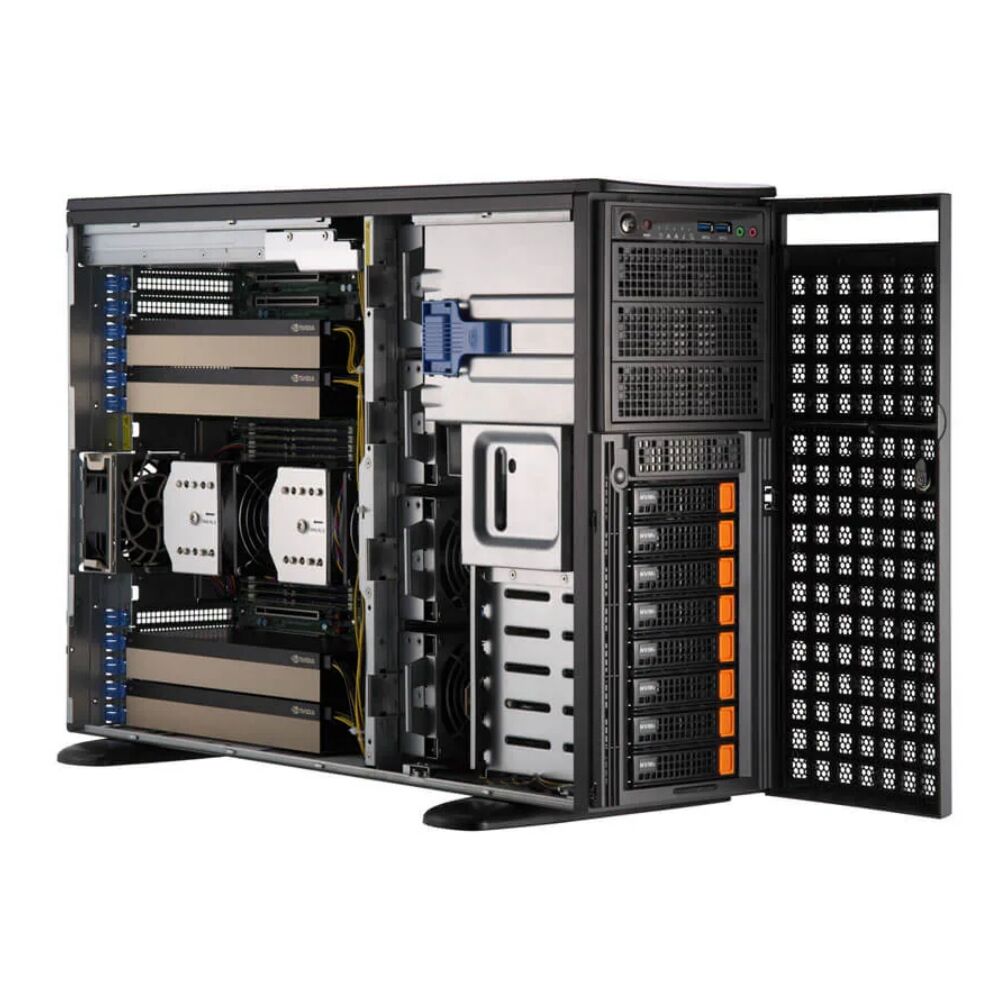
Understanding how GPU driver optimization affects both stability and performance in professional applications requires looking beyond simple version updates. It means examining how drivers interact with operating systems, application frameworks, hardware configurations, and thermal environments. This article breaks down the mechanisms behind GPU driver behavior, explains why optimization matters at every layer of the stack, and provides practical guidance for professionals who depend on GPU-accelerated systems to deliver consistent, mission-critical results. Platforms such as the GPU driver optimization-ready multi-GPU server infrastructure are built precisely to take advantage of correctly tuned driver environments.
The Mechanism Behind GPU Driver Optimization
What GPU Drivers Actually Control
A GPU driver is not simply a communication bridge. It is an active management layer that governs memory allocation, compute scheduling, power states, clock frequencies, error correction, and hardware interrupt handling. When this layer is poorly configured or running on an outdated version, these functions can degrade silently, introducing latency, memory leaks, and unexpected process termination in professional workloads.
Effective GPU driver optimization ensures that the driver version aligns with the specific capabilities of the GPU hardware and the demands of the software framework in use. For instance, compute frameworks such as CUDA, OpenCL, and Vulkan rely on driver APIs to execute low-level commands efficiently. Mismatched or sub-optimal driver versions can cause these APIs to fall back to less efficient code paths, degrading throughput significantly without generating obvious error messages.
In multi-GPU environments, the driver layer also governs inter-GPU communication paths such as NVLink or PCIe topology awareness. Without proper GPU driver optimization, multi-GPU configurations may not achieve expected parallel scaling, leaving expensive hardware underutilized during intensive professional workloads.
Driver State Management and System Stability
One of the most critical contributions of GPU driver optimization to system stability is accurate state management. A well-tuned driver correctly tracks the GPU's operational state across context switches, application launches, and system-level events such as sleep or power cycling. When this state management breaks down due to poorly configured drivers, systems can exhibit intermittent hangs, display corruption, or application-specific crashes that are notoriously difficult to diagnose.
In professional environments running workstation-class hardware, driver-level instability often manifests as timeout detection and recovery events. These events occur when the operating system detects that the GPU has stopped responding and attempts a forced reset. While occasional recoveries may go unnoticed in casual use, they are catastrophic in applications such as medical imaging analysis, financial modeling, or real-time video rendering where workflow continuity is mandatory.
Achieving the kind of state management stability that professional applications demand requires deliberate GPU driver optimization, including selecting the appropriate driver branch, configuring timeout detection thresholds, and validating driver behavior under sustained load conditions before deployment.
Performance Implications of GPU Driver Optimization in Specialized Workloads
Throughput and Compute Efficiency
The raw compute power of a GPU can only be fully realized when the driver layer is optimized to communicate its instructions efficiently. In professional AI training and inference workloads, GPU driver optimization directly affects tensor core utilization rates, memory bandwidth consumption patterns, and the efficiency of kernel execution queues. A driver that is not properly tuned for a given workload can leave large percentages of available compute capacity idle while creating artificial bottlenecks at the instruction dispatch level.
Benchmarking studies consistently show that the same GPU hardware running different driver versions or configurations can produce measurably different throughput results on identical workloads. The difference is not always dramatic in synthetic benchmarks, but under complex, multi-threaded professional application conditions, the cumulative impact of GPU driver optimization on throughput can easily reach double-digit percentage improvements.
For workloads that combine compute and graphics pipelines — such as scientific visualization applications or mixed AI and rendering pipelines — the driver's ability to intelligently arbitrate resource allocation between compute and graphics contexts is essential. This arbitration logic is only effective when the driver has been properly optimized for the specific hardware and software combination in use.
Memory Management and Bandwidth Utilization
GPU memory management is another area where GPU driver optimization delivers tangible performance gains. Modern professional GPUs feature high-bandwidth memory architectures, but achieving peak bandwidth utilization requires the driver to correctly implement prefetching strategies, manage cache hierarchies, and handle unified memory migrations between host and device without unnecessary stalls.
Suboptimal driver configurations frequently cause excessive host-to-device memory transfers, inflating effective latency and reducing the net throughput available to professional applications. Properly applied GPU driver optimization includes configuring memory pool settings, enabling persistent memory modes where applicable, and ensuring that the driver's memory compaction routines do not interfere with application-critical allocation patterns.
In environments deploying servers with multiple high-performance GPUs per node — such as those designed to handle up to four PCIe-attached GPUs — the driver must also manage memory coherency across the entire GPU topology. This is a demanding task that only functions correctly when GPU driver optimization has been applied with full awareness of the multi-device configuration.
Stability Factors Specific to Professional Applications
Long-Duration Workload Resilience
Unlike consumer gaming sessions, professional applications routinely execute continuous GPU workloads lasting hours or even days. Machine learning training runs, molecular dynamics simulations, and large-scale rendering jobs demand that the GPU maintain stable operation across vastly extended time horizons. GPU driver optimization is essential for this kind of long-duration resilience because driver-level issues compound over time in ways that do not appear during short test runs.
Memory leak vulnerabilities within driver software, for example, may consume only a small amount of additional resources per hour but can destabilize the system entirely after dozens of hours of continuous operation. Optimizing the driver environment includes selecting versions that have been specifically validated for extended operation, applying any available patches for known long-run stability issues, and configuring logging to detect early warning signs of driver-level resource exhaustion.
Enterprises operating 24/7 workloads on GPU-accelerated infrastructure cannot afford to overlook GPU driver optimization as a component of their operational reliability strategy. Every unplanned restart due to a driver failure represents lost compute hours, incomplete results, and potential data integrity concerns depending on the application's checkpoint implementation.
Thermal and Power Management Interactions
The GPU driver plays an active role in thermal and power management, governing dynamic voltage and frequency scaling, fan control curves, and power limit enforcement. When these driver-controlled parameters are not optimized for the deployment environment, the result can be thermal throttling that silently reduces compute performance during sustained workloads, or conversely, aggressive power draw that destabilizes the server platform's power delivery infrastructure.
Proper GPU driver optimization for professional workloads typically involves configuring the GPU to operate in a persistent, fixed performance state rather than allowing the driver to dynamically scale clocks based on load estimation algorithms. In AI and HPC workloads where burst-to-sustained load transitions are frequent, dynamic scaling introduces jitter and inconsistent performance that undermines application-level predictability.
Server platforms designed for high-density GPU deployments provide the thermal and power delivery infrastructure necessary to support sustained full-load GPU operation. However, this infrastructure only delivers its intended value when paired with deliberate GPU driver optimization that aligns the driver's power management behavior with the server's thermal design parameters.
Implementing GPU Driver Optimization in Professional Environments
Selecting the Right Driver Branch
Professional GPU deployments typically have access to multiple driver branches, including production or datacenter-focused long-term support releases and cutting-edge development branches. The choice between these branches is a foundational element of GPU driver optimization. Production branches prioritize stability and have undergone extensive validation across a broad range of application configurations, making them the appropriate choice for mission-critical deployments where reliability trumps access to the latest features.
Development branches may offer performance improvements for emerging workload types but carry a higher risk of regressions in edge-case scenarios. For professional applications where validated, reproducible results are required — such as clinical AI inference or regulated financial analytics — the discipline of GPU driver optimization includes deliberately choosing stability-validated driver branches and avoiding unsanctioned updates outside of controlled change management windows.
Organizations managing fleets of GPU servers should establish formal driver qualification processes that test candidate versions against representative production workloads before deployment. This proactive approach to GPU driver optimization prevents unexpected regressions and ensures that any performance improvements from a new driver version are measurably validated before being accepted into production.
Configuration Tuning Beyond Version Selection
Version selection is only one dimension of GPU driver optimization. Equally important are the configuration parameters exposed through driver management interfaces, which control everything from error correction code behavior and peer-to-peer memory access settings to compute preemption modes and hardware performance counters. Each of these parameters has specific implications for professional workload stability and throughput that must be evaluated in the context of the target application.
For example, enabling exclusive compute mode at the driver level prevents multiple processes from simultaneously accessing a GPU, eliminating a class of resource contention issues that can cause intermittent performance degradation in shared infrastructure environments. Similarly, configuring the driver to disable the display output function on compute-dedicated GPUs removes an unnecessary software overhead that does not contribute to professional workload execution.
Combining hardware-level server design with deliberate GPU driver optimization through configuration tuning creates a compound effect on both stability and performance. The underlying server hardware provides the physical foundation, while the driver configuration layer ensures that the full potential of that hardware is consistently and reliably delivered to the professional applications running on top of it.
FAQ
How often should GPU drivers be updated in professional server environments?
In professional server environments, driver updates should follow a structured qualification process rather than automatic or frequent updates. GPU driver optimization is best maintained by testing new driver versions against production workloads in a staging environment before deployment. The frequency of updates depends on whether new versions address specific stability issues or offer validated performance improvements relevant to your workloads. Long-term support driver branches typically receive updates on a quarterly or semi-annual basis, which aligns well with most professional deployment schedules.
Can GPU driver optimization improve performance without changing hardware?
Yes, GPU driver optimization can yield meaningful performance improvements on existing hardware. By selecting the correct driver branch, enabling appropriate compute modes, tuning memory management settings, and disabling unnecessary driver overhead features, organizations routinely achieve measurable throughput gains without any hardware investment. The magnitude of improvement depends on how suboptimal the previous configuration was, but double-digit percentage gains are achievable in workloads where the driver was previously misconfigured or outdated.
What are the most common signs that GPU driver optimization is needed?
Common indicators include intermittent application crashes that do not reproduce consistently, unexpected timeout detection and recovery events in GPU monitoring logs, lower-than-expected GPU utilization rates during demanding workloads, memory allocation failures under loads that should be within hardware capacity, and thermal throttling events during sustained compute tasks. Any of these symptoms suggests that GPU driver optimization review is warranted, starting with validating driver version compatibility and reviewing power and performance configuration settings.
Does GPU driver optimization differ between single-GPU and multi-GPU server configurations?
Yes, multi-GPU configurations introduce additional driver optimization considerations that do not apply in single-GPU environments. In multi-GPU setups, the driver must correctly manage PCIe topology awareness, peer-to-peer memory access paths, and inter-GPU communication scheduling. GPU driver optimization in these environments also includes validating that the driver correctly identifies and utilizes the full GPU topology of the server, ensuring that workloads are distributed and synchronized across all available devices without creating unnecessary bottlenecks at the driver communication layer.
Table of Contents
- The Mechanism Behind GPU Driver Optimization
- Performance Implications of GPU Driver Optimization in Specialized Workloads
- Stability Factors Specific to Professional Applications
- Implementing GPU Driver Optimization in Professional Environments
-
FAQ
- How often should GPU drivers be updated in professional server environments?
- Can GPU driver optimization improve performance without changing hardware?
- What are the most common signs that GPU driver optimization is needed?
- Does GPU driver optimization differ between single-GPU and multi-GPU server configurations?