
 EN
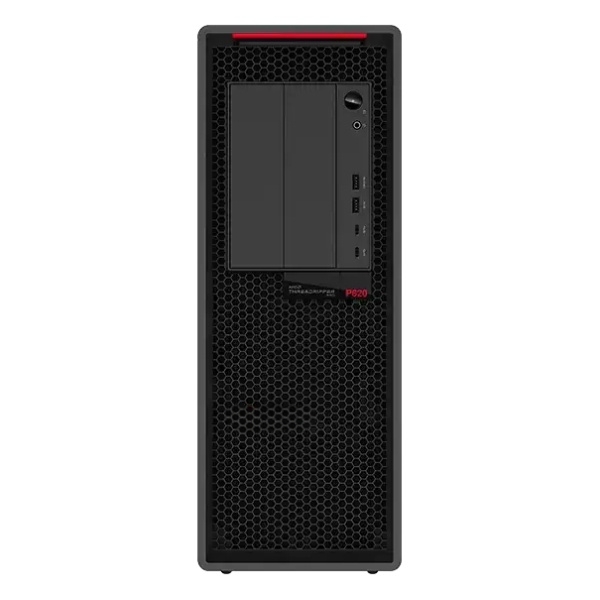
Modern computing demands have fundamentally changed how professionals approach resource-intensive tasks. A workstation equipped with multiple graphics processing units has emerged as a transformative solution for industries requiring real-time rendering, complex simulations, and artificial intelligence applications. Unlike traditional single-GPU setups, a multi-GPU workstation delivers exponential performance gains by distributing computational workloads across specialized processors, enabling faster iteration cycles and more sophisticated analyses. This technology represents a strategic investment for organizations seeking competitive advantages in visual design, scientific computing, and machine learning workflows.

The decision to upgrade to a workstation with multiple GPUs depends on understanding specific performance requirements, software compatibility, and infrastructure considerations. Organizations in animation studios, architectural visualization, pharmaceutical research, climate modeling, and autonomous vehicle development rely on multi-GPU workstations to reduce project timelines and enable real-time collaboration. This article explores how a workstation with multiple GPUs functions, identifies key use cases, and provides practical guidance for implementation.
Understanding Multi-GPU Workstation Architecture
GPU Configuration and Scaling
A workstation designed for multi-GPU deployment requires specialized motherboard architecture that supports high-bandwidth communication between processors. Modern workstation platforms accommodate up to four GPUs via PCIe slots, with each GPU connected directly to system memory through dedicated lanes. This architecture ensures that a workstation maintains balanced throughput and minimizes bottlenecks that could diminish performance gains. The workstation's power delivery system must also scale proportionally, typically requiring 1000W to 2000W power supplies to sustain simultaneous GPU operation under load.
Memory and Bandwidth Considerations
Effective workstation performance depends critically on sufficient system RAM and GPU memory density. A workstation supporting four GPUs should include minimum 64GB to 128GB of host memory, combined with GPUs featuring 24GB to 48GB VRAM each. When workstation applications transfer large datasets between host and device memory, bandwidth becomes the limiting factor. High-speed interconnects within the workstation reduce latency and prevent the processor from becoming a performance bottleneck during compute-intensive iterations.
Rendering and Visual Computing Acceleration
Real-Time Ray Tracing and Path Tracing
A workstation optimized for rendering leverages multiple GPUs to achieve photorealistic output without sacrificing interactivity. Ray tracing engines deployed on a workstation scale performance nearly linearly with additional GPU resources, allowing designers to visualize complex scenes with caustics, reflections, and soft shadows in real time. Professional rendering software designed for multi-GPU workstation environments distributes frame buffers and geometry data intelligently, ensuring that each workstation GPU remains equally utilized. This acceleration transforms design workflows, enabling architects and product designers to iterate rapidly within client presentations.
Viewport Performance and Asset Management
Interactive viewport responsiveness defines professional satisfaction with a workstation investment. A workstation equipped with multiple GPUs handles dense polygon counts, high-resolution textures, and complex lighting rigs without frame rate degradation. When an artist loads a 500-million-polygon model into a workstation's viewport, GPU memory becomes distributed, allowing seamless navigation and real-time shading preview. The workstation's multi-GPU configuration eliminates loading delays and enables non-destructive viewport scaling.
Simulation and Scientific Computing Advancement
Fluid Dynamics and Particle Systems
Computational fluid dynamics simulations executed on a workstation with multiple GPUs complete in hours rather than days. A single GPU workstation simulation of turbulent airflow around vehicle geometry might require 72 hours; a workstation with four GPUs reduces this to approximately 18 hours. The workstation's scalability proves especially valuable in automotive engineering, aerospace design, and HVAC optimization, where simulation feedback drives iterative design refinement. Each GPU within the workstation handles spatial domain decomposition, processing independent grid regions simultaneously.
Machine Learning Model Training and Inference
Deep learning applications deployed on a workstation achieve substantial speedups when training convolutional neural networks and transformer models. A workstation running ResNet-50 training on ImageNet benefits from four-GPU parallelization, scaling throughput to approximately 4X single-GPU performance. The workstation becomes a cost-effective development platform for data scientists prototyping models before cloud deployment. Inference workloads on a workstation also benefit from multi-GPU distribution, enabling real-time object detection and semantic segmentation across high-resolution video streams. Organizations use a workstation as a testing ground for production-scale AI workflows.
Implementation Considerations for Workstation Deployment
Software Compatibility and Framework Support
Successful workstation adoption requires software compatibility validation before purchase. Professional rendering applications including NVIDIA OptiX, Autodesk Arnold, and Chaos V-Ray explicitly support multi-GPU workstation rendering through optimized CUDA kernels. Deep learning frameworks like TensorFlow, PyTorch, and NVIDIA RAPIDS automatically distribute training across available GPUs when workstation systems are properly configured. However, not all workstation applications support multi-GPU scaling; consulting compatibility matrices ensures that a workstation investment aligns with production software stacks.
Cooling, Power, and Physical Space
Operating a workstation with multiple GPUs simultaneously generates substantial thermal load. A well-designed workstation requires robust cooling infrastructure, including high-performance fans and potentially liquid cooling solutions. Power consumption in a multi-GPU workstation can approach 2500W during peak utilization, necessitating dedicated electrical circuits and UPS protection. Physical workspace for a workstation must accommodate larger form factors, typically tower or rackmount configurations that provide adequate cable management and airflow.
Network and Storage Integration
A workstation functioning in production environments connects to high-speed storage networks. NVMe RAID arrays attached to a workstation via Thunderbolt or PCIe reduce data transfer bottlenecks during asset loading and rendering output. Teams deploying multiple workstations across shared projects benefit from centralized storage solutions, where a workstation retrieves scene files and texture assets from network storage. This infrastructure pattern scales from small studios to enterprise-level facilities operating dozens of interconnected workstations.
FAQ
Does a workstation with multiple GPUs improve rendering speed proportionally?
Performance scaling in a workstation typically ranges from 3.5X to 3.8X speedup with four GPUs, depending on workstation software efficiency and communication overhead. Distributed rendering across a workstation's GPUs involves some synchronization cost, preventing perfect linear scaling. However, a workstation designer can expect substantial acceleration in most professional rendering workflows, with actual performance gains visible within frames per second improvements and render time reductions measured in hours saved per project.
Can a workstation support GPU sharing among multiple users simultaneously?
Modern workstation operating systems support GPU virtualization through technologies like NVIDIA GRID and MIG (Multi-Instance GPU), allowing a workstation to allocate GPU partitions to multiple concurrent users. However, workstation performance per user decreases proportionally with partition count, and interactive workstation rendering applications typically require dedicated GPU access for optimal responsiveness. Single-user dedicated workstation deployment remains the standard for professional visualization, while workstation clusters with multiple machines provide better resource isolation for shared environments.
What is the total cost of ownership for a multi-GPU workstation versus cloud rendering services?
A workstation with four high-end GPUs costs between 15,000 to 25,000 USD upfront, plus ongoing electricity and maintenance expenses. For studios rendering 200 or more hours monthly, a workstation investment becomes cost-effective compared to cloud rendering fees. However, a workstation requires amortization across 3-5 years, and organizations with variable workloads may benefit from hybrid approaches combining workstation-based iteration with cloud rendering for final production. Evaluating workstation ROI depends on project volume, team size, and preferred operational model.
