
 EN
EN
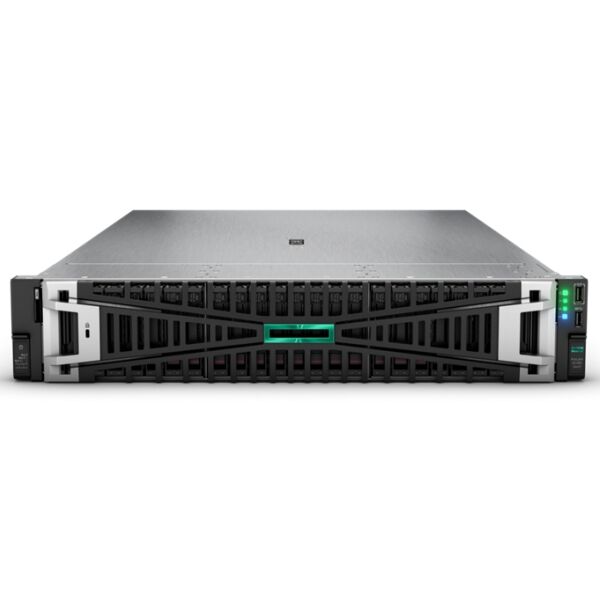
In today's always-on enterprise environments, server downtime is not just an inconvenience — it carries measurable financial and operational consequences. The question of whether a hot-swap hard drive bay in a server can genuinely simplify replacement without causing downtime is one that IT administrators, data center managers, and infrastructure architects face regularly. The short answer is yes — but understanding why and how requires a closer look at the technology, the conditions that make it work, and the practical realities of deploying it in a production environment.
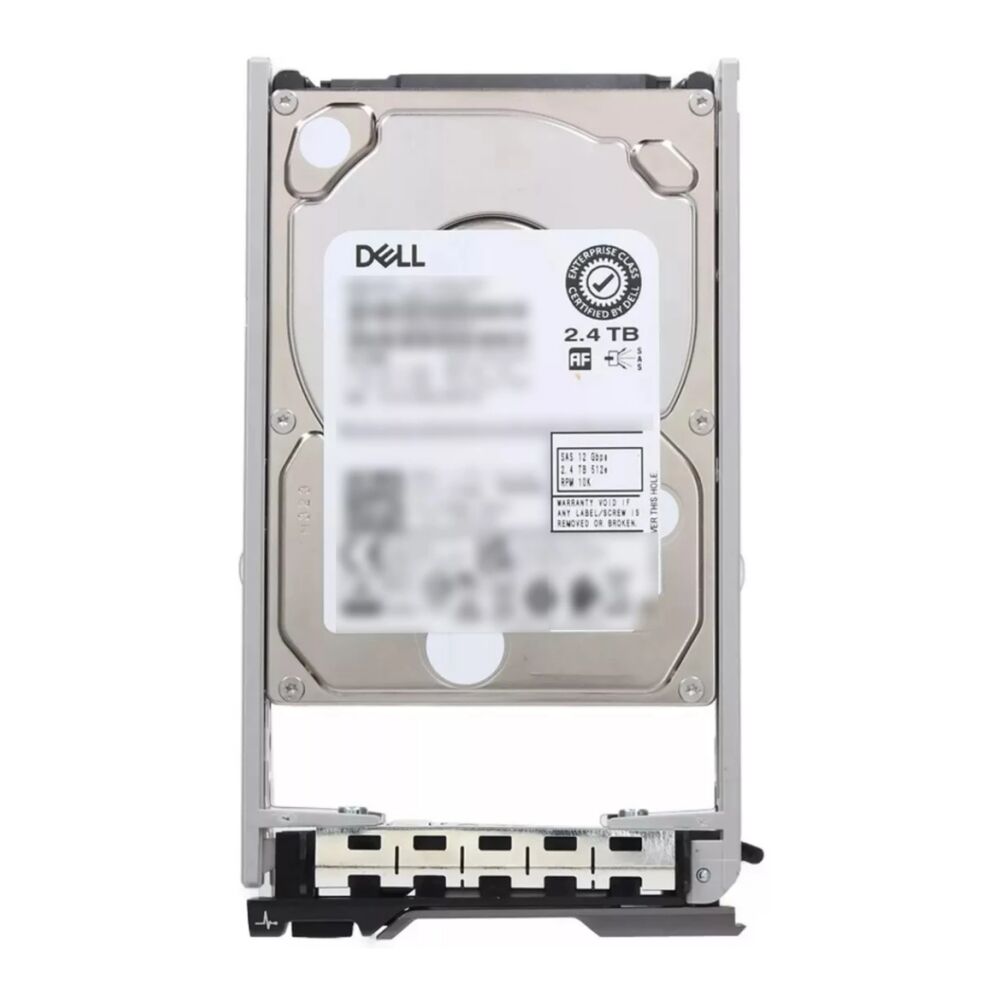
A hot-swap hard drive is specifically engineered to be removed and replaced from a live server without interrupting power or halting system operations. This capability is built into the drive's interface, the server's backplane, and the storage controller working in concert. When these components are properly matched and configured, swapping a failed or aging drive becomes a routine maintenance task rather than a scheduled outage event. For businesses relying on 24/7 uptime, this distinction is not just a technical nicety — it is a core operational requirement.
Understanding How Hot-Swap Hard Drive Bays Work in Servers
The Mechanical and Electrical Design Behind Hot-Swapping
The ability to replace a hot-swap hard drive while a server remains powered comes from a carefully designed combination of hardware elements. The drive bay itself features a guided carrier mechanism that connects and disconnects the drive's interface contacts in a controlled sequence, preventing electrical arcing or data corruption during insertion or removal. This precision engineering ensures that the power and ground pins engage first and disengage last, protecting both the drive and the server's backplane circuitry.
Modern server backplanes that support hot-swap hard drive configurations are built with individual power routing per bay, meaning that removing one drive does not affect the power supply to adjacent bays or other subsystems. The storage controller — whether a RAID controller or a host bus adapter — monitors each bay independently and responds to drive removal events by updating its drive inventory in real time. This level of isolation is what makes zero-downtime replacement genuinely possible at the hardware level.
It is worth noting that not all server bays labeled as hot-swap are equally capable. True hot-swap functionality requires that the server's firmware, operating system drivers, and storage controller all support online drive insertion and removal. Servers designed for enterprise workloads, such as rack-mounted 1U and 2U platforms with SAS or SATA backplanes, are generally built with this full stack of support in mind.
The Role of RAID and Storage Controllers in Enabling Zero-Downtime Replacement
Hardware RAID controllers play an essential role in making hot-swap hard drive replacement seamless. When a drive is removed from a RAID array, the controller immediately recognizes the event and flags the array as degraded if redundancy was in place. Upon insertion of a replacement hot-swap hard drive, the controller detects the new drive, validates its compatibility, and initiates an automatic rebuild process — all without any intervention from the operating system or applications running on the server.
During the rebuild phase, the server continues to process read and write requests normally, albeit with some performance overhead as the controller works to restore full redundancy. Depending on the RAID level and the capacity of the replacement drive, rebuild times can range from minutes to several hours for very large volumes. Throughout this entire process, applications and users experience no interruption — which is the fundamental promise of hot-swap hard drive technology in enterprise servers.
Software RAID solutions can also support hot-swap hard drive replacement, though the process may require manual commands from an administrator to add the new drive to the array and initiate rebuild. The underlying hardware hot-swap capability still allows physical replacement without powering down the server, but the automation layer is less seamless compared to dedicated hardware RAID controllers.
Conditions That Must Be Met for Truly Seamless Hot-Swap Replacement
Hardware Compatibility Between Drive and Bay
Not every drive physically fits into every hot-swap hard drive bay, and compatibility goes beyond form factor. The interface protocol — SAS (Serial Attached SCSI), SATA, or NVMe — must match between the drive and the backplane. SAS backplanes are generally backward-compatible with SATA drives, but the reverse is not true. Attempting to insert an incompatible drive can result in recognition failures or even physical damage to the connector.
Drive carrier compatibility is another frequently overlooked factor. Enterprise hot-swap hard drive bays use specific carriers or sleds that secure the drive and align it correctly within the bay. Using a generic or mismatched carrier can prevent proper engagement with the backplane connector, leading to intermittent recognition issues that undermine the very reliability the hot-swap design is meant to provide. Procurement teams should always verify carrier compatibility with the server model and generation before purchasing replacement drives.
Speed and capacity specifications also influence replacement logic in RAID environments. Replacing a failed hot-swap hard drive with a drive of equal or greater capacity is straightforward. Replacing it with a drive of lesser capacity in a RAID array will fail, as the controller requires the new drive to be at least as large as the original. Matching the RPM rating and interface speed is equally important for maintaining consistent performance across the array.
Firmware, Driver, and OS-Level Support
Even with perfect hardware compatibility, seamless hot-swap hard drive replacement depends on the server's firmware recognizing drive insertion and removal events correctly. Enterprise server platforms from established vendors include baseboard management controllers (BMC) and out-of-band management interfaces that log these events, alert administrators, and in some cases trigger automated responses. Keeping firmware up to date ensures that the server can handle the latest drive models and interface standards without compatibility gaps.
At the operating system level, storage drivers must be capable of processing hot-plug notifications. Modern Linux distributions with kernel versions that support SCSI hot-plug and Windows Server editions with native SAS/SATA drivers handle these events transparently. The OS recognizes the removal and addition of a hot-swap hard drive without requiring a reboot, and the storage stack updates its device list accordingly.
In virtualized environments, the hypervisor layer adds another dimension to consider. VMware ESXi, Microsoft Hyper-V, and other enterprise hypervisors generally propagate hot-swap hard drive events correctly to their storage subsystems, but this should be validated in the specific environment rather than assumed. Testing the hot-swap process in a non-critical context before relying on it in production is always a sound engineering practice.
Practical Scenarios Where Hot-Swap Hard Drive Bays Deliver Maximum Value
High-Availability Workloads and Mission-Critical Applications
The clearest business case for hot-swap hard drive technology lies in environments where any unplanned downtime carries significant cost. Database servers running transactional workloads, financial systems processing real-time transactions, healthcare applications managing patient records, and e-commerce platforms serving continuous customer traffic all fall into this category. In these scenarios, the ability to replace a failing hot-swap hard drive while the application continues running is not merely convenient — it directly protects revenue and service commitments.
Consider a web-facing database server running RAID 10 across eight drives. If one drive begins showing predictive failure signals — detected through SMART monitoring integrated into the server's management software — an administrator can order a replacement hot-swap hard drive, arrive at the rack, pull the failing unit, insert the replacement, and walk away while the array rebuilds automatically. The entire physical replacement takes under two minutes. The application never pauses.
This workflow stands in stark contrast to traditional fixed-drive configurations, where even a planned drive replacement requires a maintenance window, system shutdown, physical replacement, system restart, OS verification, and application restart — a process that can consume two to four hours and must be coordinated with application teams and end users.
Scheduled Maintenance and Proactive Drive Replacement Programs
Hot-swap hard drive bays also simplify proactive maintenance strategies. Many IT organizations implement scheduled drive replacement programs, replacing drives before they fail based on age, workload exposure, or manufacturer lifecycle recommendations. Without hot-swap capability, this kind of proactive replacement would require scheduled downtime windows that are increasingly difficult to justify in modern operational calendars.
With hot-swap hard drive bays, proactive replacement becomes a rolling maintenance task that can be performed during business hours without any service impact. Administrators can replace drives one at a time across a RAID-protected array, waiting for each rebuild to complete before proceeding to the next drive. This approach extends the effective service life of storage arrays while maintaining consistent data protection and availability throughout.
For organizations managing large numbers of servers — such as colocation facilities, cloud infrastructure providers, and enterprise data centers — the cumulative value of hot-swap hard drive capability across hundreds or thousands of storage nodes is enormous. The labor savings alone, by eliminating the coordination overhead of maintenance windows, justify the modest premium associated with hot-swap-capable server configurations and drives.
Limitations and Considerations to Keep in Mind
Situations Where Downtime May Still Be Required
While hot-swap hard drive technology is powerful, it does not eliminate all scenarios requiring downtime. If a server experiences a simultaneous failure of multiple drives in the same RAID group beyond the fault tolerance of the RAID level, the array will go offline and data recovery — not hot-swap replacement — becomes the priority. RAID 5 with a two-drive failure and RAID 6 with a three-drive failure are examples where hot-swap replacement alone cannot restore service without a full restore from backup.
Additionally, replacing a hot-swap hard drive in a server with no RAID protection — a single-drive configuration — requires the server to be offline before the drive can be swapped, since there is no redundancy to maintain service continuity during replacement. Hot-swap capability is a hardware feature; the business benefit of zero downtime replacement depends entirely on whether the storage architecture provides redundancy.
Backplane or controller failures can also neutralize hot-swap benefits. If the backplane itself is damaged or if the RAID controller needs firmware recovery, physical replacement of the hot-swap hard drive alone will not restore service. Administrators should maintain comprehensive monitoring of all storage subsystem components, not just the drives themselves, to ensure that the full hot-swap capability remains intact and functional.
Balancing Speed and Capacity in Replacement Decisions
When selecting a replacement hot-swap hard drive, the temptation to upgrade capacity or change the drive's RPM rating as part of the replacement should be approached carefully. In a RAID array, all drives ideally have matching specifications to ensure consistent performance and to avoid the controller defaulting to the characteristics of the slowest or smallest drive in the array. Mixing a high-RPM drive with lower-RPM units can create performance imbalances that affect the entire array's throughput.
The interface speed also matters. A hot-swap hard drive designed for SAS 12Gb/s will operate at reduced speed if inserted into an older SAS 6Gb/s backplane, and the performance difference may affect latency-sensitive workloads. For critical environments, sourcing replacement drives that exactly match the original specification — including interface generation, capacity, RPM, and sector format (512n, 512e, or 4Kn) — is the safest approach to maintaining predictable performance after replacement.
FAQ
Does a hot-swap hard drive require any special tools or software to replace in a running server?
In most enterprise servers, replacing a hot-swap hard drive requires no special tools — the drive carrier typically releases with a thumb latch or lever mechanism designed for tool-free operation. Software-wise, the server's storage controller and operating system handle the replacement event automatically. An administrator may use the server's management interface to confirm drive recognition and monitor the rebuild progress, but no manual software commands are needed for the basic replacement process in a properly configured RAID environment.
How long does it take for a RAID array to rebuild after inserting a replacement hot-swap hard drive?
Rebuild time depends on several factors including the capacity of the hot-swap hard drive being replaced, the RAID level, the current workload on the server, and the performance capability of the RAID controller. For a 1.2TB to 2.4TB SAS drive in a moderately loaded server, rebuilds commonly complete within one to four hours. Larger capacity drives or heavily loaded systems can extend rebuild times significantly. During rebuild, the array remains operational, though with some performance impact from the rebuild I/O overhead.
Can a hot-swap hard drive be used in servers that were not originally designed for hot-swap configurations?
Inserting a hot-swap hard drive into a server that does not support hot-plug on its backplane or controller will not enable hot-swap functionality — the drive will behave as a standard fixed drive. True hot-swap capability is a system-level feature requiring compatible backplane, controller, firmware, and OS support. Using a hot-swap-rated drive in a non-hot-swap system is not harmful, but the zero-downtime replacement benefit will not be available without the full supporting infrastructure in place.
What is the difference between hot-swap and warm-swap or cold-swap for server drives?
A hot-swap hard drive can be removed and inserted with the server fully powered and running, with no interruption to operations. Warm-swap requires the administrator to notify the operating system or storage controller to prepare for the drive's removal before physically disconnecting it, but the server stays powered. Cold-swap requires the server to be completely shut down before the drive is replaced. Enterprise server environments overwhelmingly favor hot-swap hard drive configurations for their ability to support true zero-downtime maintenance workflows.
Table of Contents
- Understanding How Hot-Swap Hard Drive Bays Work in Servers
- Conditions That Must Be Met for Truly Seamless Hot-Swap Replacement
- Practical Scenarios Where Hot-Swap Hard Drive Bays Deliver Maximum Value
- Limitations and Considerations to Keep in Mind
-
FAQ
- Does a hot-swap hard drive require any special tools or software to replace in a running server?
- How long does it take for a RAID array to rebuild after inserting a replacement hot-swap hard drive?
- Can a hot-swap hard drive be used in servers that were not originally designed for hot-swap configurations?
- What is the difference between hot-swap and warm-swap or cold-swap for server drives?