
 EN
EN
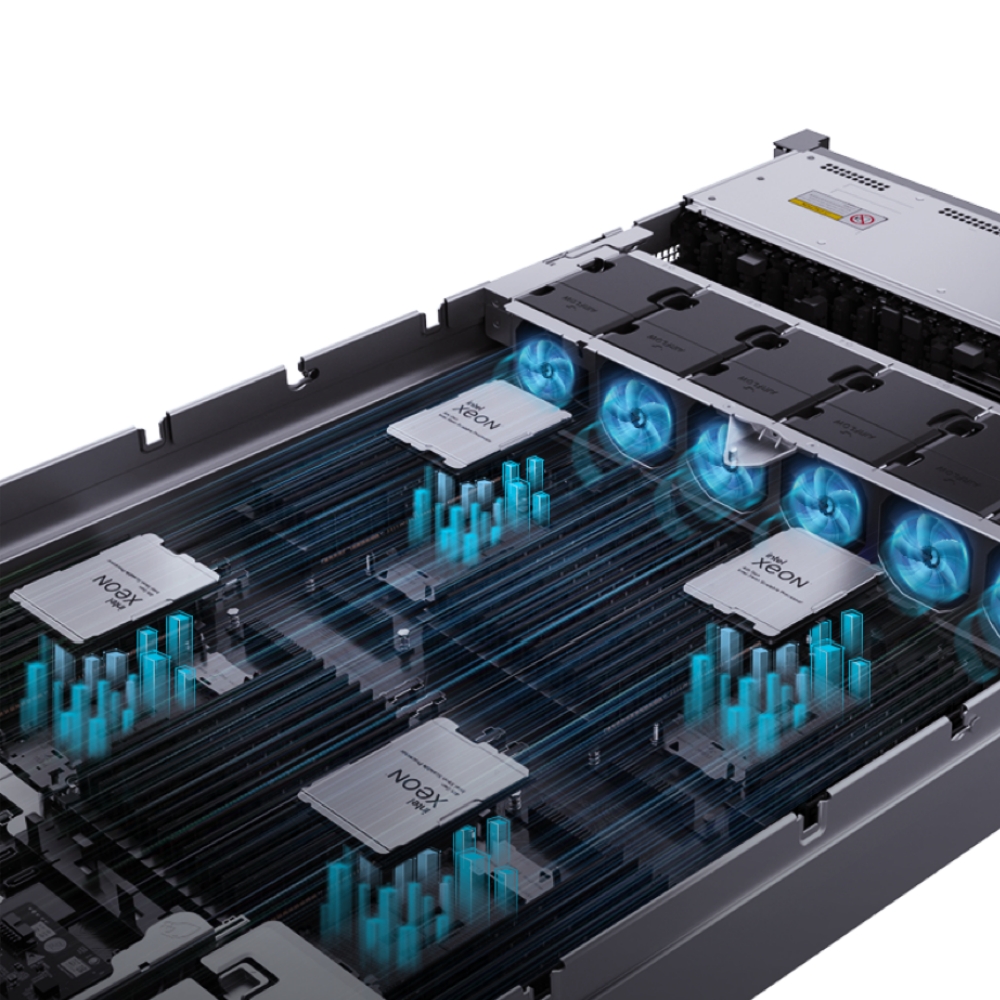
Selecting the right server chassis for your data center is one of the most critical infrastructure decisions you will make. The form factor of your chassis—whether 1U, 2U, 4U, or another dimension—directly impacts rack density, cooling efficiency, component configuration, and total cost of ownership. Understanding how different chassis sizes align with your specific density requirements ensures that you optimize both physical space and operational performance. A poorly chosen chassis can lead to wasted rack space, thermal bottlenecks, or insufficient compute density, while the right chassis maximizes your return on infrastructure investment.
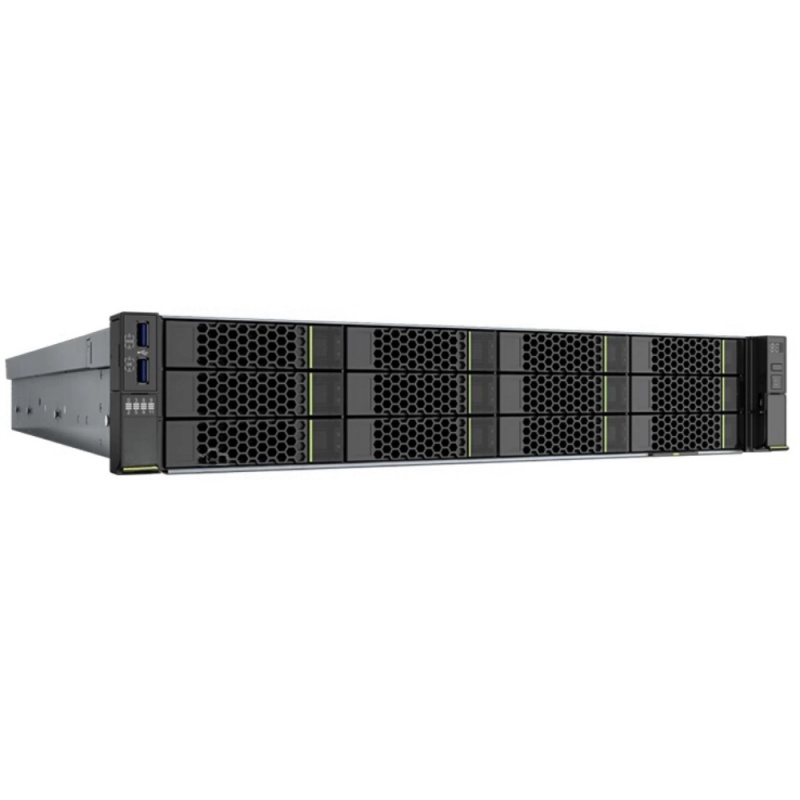
The market offers multiple chassis configurations to serve different workload and deployment scenarios. Each chassis design represents a deliberate trade-off between density, performance, thermal management, and component flexibility. This guide examines how 1U, 2U, and 4U chassis function in real-world data center environments, the technical implications of each form factor, and the decision criteria that should guide your chassis selection process. By the end, you will understand which chassis architecture aligns with your density goals and operational constraints.
Understanding Server Chassis Fundamentals
What Defines Chassis Form Factors
A server chassis is the physical enclosure that houses processor sockets, memory modules, storage drives, power supplies, and network interfaces. The chassis form factor refers to its height, width, and depth dimensions, measured in standard rack units. One rack unit equals 1.75 inches of vertical height. A 1U chassis occupies 1.75 inches, a 2U chassis occupies 3.5 inches, and a 4U chassis occupies 7 inches. These standardized measurements allow data center teams to calculate how many servers fit into a standard 42U or 48U rack. The chassis also includes mounting rails, thermal pathways, and structural components that define how efficiently it dissipates heat and accommodates expansion cards or storage devices.
Density Metrics and Chassis Selection
Data center density is typically measured in servers per rack, watts per rack unit, or compute performance per cubic foot. A 1U chassis is the most density-efficient in terms of unit count, fitting up to 42 servers in a standard rack. However, 1U chassis designs often sacrifice expandability and thermal performance to achieve this density. A 2U chassis provides a middle ground, typically housing dual-socket configurations with substantial memory and storage capacity. A 4U chassis offers the most internal space and cooling headroom, making it ideal for high-performance computing, GPU-intensive workloads, or configurations requiring extensive internal storage. Choosing the right chassis depends on whether your priority is maximizing server count, maximizing compute performance per unit, or balancing both factors.
1U Chassis: Maximum Unit Density
Design Characteristics and Constraints
A 1U chassis is the smallest standardized server form factor, and it represents the ultimate expression of density optimization. The tight vertical clearance—just 1.75 inches—forces manufacturers to design 1U chassis with minimal internal space for airflow, limited storage capacity, and restricted expansion slot availability. Most 1U chassis accommodate a single or dual-socket processor configuration, with memory typically limited to 4 or 8 DIMM slots depending on the design. The chassis relies heavily on external expansion modules or storage appliances to provide additional capacity. Power supplies in 1U chassis are often redundant but modest in output, and thermal design requires sophisticated airflow management to prevent hot spots. A 1U chassis is engineered for density-first scenarios where physical space is premium and workload requirements are well-defined.
Ideal Use Cases for 1U Chassis
The 1U chassis excels in hyperscale data center environments, cloud service provider deployments, and high-density computing clusters. When you need to maximize server count within a fixed rack footprint, a 1U chassis delivers unmatched efficiency. Web hosting providers, streaming platforms, and content delivery networks routinely deploy 1U chassis to pack computing resources into minimal physical space. Financial trading firms use 1U chassis for low-latency trading systems where density and speed matter equally. The 1U chassis also suits standardized, homogeneous workload distributions where all servers run similar configurations. However, the 1U chassis becomes problematic if your environment requires significant local storage, GPU acceleration, or frequent hardware expansion. Dense 1U deployments also impose higher cooling costs and require precision airflow management, making them less suitable for facilities with legacy CRAC/CRAH systems.
2U and 4U Chassis: Balance and Performance
2U Chassis for Flexible Workload Deployment
A 2U chassis provides substantially more internal real estate than 1U, allowing manufacturers to implement dual-socket configurations with higher memory capacity, more storage bays, and redundant power supplies. The 2U chassis typically accommodates 12 to 24 DIMM slots, depending on the design, supporting memory-intensive workloads like databases, in-memory caching, and big data processing. You can install 2 to 4 internal 3.5-inch drives or 4 to 8 2.5-inch SSDs within a 2U chassis, providing local storage for operating systems, databases, or temporary working sets. The 2U form factor fits approximately 21 servers into a standard 42U rack, maintaining excellent density while offering significant flexibility. The chassis design also allows room for multiple expansion slots, supporting GPU accelerators, network interface cards, or storage controllers. A 2U chassis balances density with operational flexibility, making it the most popular form factor across enterprise data centers.
4U Chassis for Maximum Capability
A 4U chassis prioritizes capability and thermal performance over maximum density. With 7 inches of vertical height, a 4U chassis provides ample internal space for comprehensive system architecture. The chassis can accommodate up to 32 DIMM slots in modern designs, supporting massive memory configurations for virtualization hosts, high-performance databases, or scientific computing. Storage capacity expands dramatically—a 4U chassis typically holds 8 to 16 internal drives, enabling on-board distributed storage or NVMe solid-state systems. The extra internal volume allows manufacturers to design sophisticated dual-redundant power supplies, advanced thermal management with segregated airflow paths, and extensive PCIe expansion for multiple GPUs or specialized accelerators. A 4U chassis fits approximately 10 to 12 units in a standard rack but delivers dramatically higher compute capability per server. This form factor suits organizations running GPU-accelerated machine learning, scientific simulations, high-performance analytics, or virtualization infrastructure where compute per server matters more than unit count.
Selecting Chassis Based on Density Requirements
Calculating Your True Density Needs
Effective chassis selection requires translating your workload requirements into specific density metrics. Begin by calculating the total compute capacity you need—processor cores, memory capacity, and storage throughput required to run your applications. Next, determine your available rack space, power supply capacity, and cooling capability. Divide your total compute need by the capacity of individual chassis options to estimate how many units you need. For example, if you need 256 cores and each 2U chassis delivers 32 cores, you need 8 units. Eight 2U chassis occupies 16 rack units, leaving substantial room for switches, patch panels, and cooling equipment. The same workload distributed across 1U chassis might require 16 units occupying 16 rack units as well, but 1U designs often have lower per-unit performance or expandability. A 4U chassis might deliver 64 cores per unit, requiring only 4 chassis and 28 rack units of space, but sacrificing maximum density for capabilities your applications may not need.
Thermal and Power Considerations
Chassis form factor directly affects thermal density and power consumption patterns. A densely packed 1U environment generates high power density—potentially 10 to 15 kilowatts per rack unit—requiring precision airflow containment and high-capacity cooling systems. The compact 1U chassis design restricts natural convection, forcing reliance on active cooling and fan management. A 2U environment typically generates 7 to 10 kilowatts per rack unit, spreading the thermal load across a larger footprint and enabling more flexible cooling strategies. A 4U chassis generally produces lower power density per unit, often 5 to 8 kilowatts, allowing more breathing room and easier thermal management. Your data center's cooling infrastructure should guide chassis selection—if your facility has legacy air-conditioning systems designed for lower density, 2U or 4U chassis may prove more practical despite requiring more rack space. Modern liquid-cooled chassis architecture is changing these thermal equations, but traditional air-cooled solutions still dominate enterprise environments.
FAQ
What is the best chassis for maximum density?
The 1U chassis delivers maximum unit density, fitting up to 42 servers into a standard 42U rack. However, 'best' depends on your specific constraints. If you prioritize server count and have the cooling infrastructure to support dense deployments, 1U chassis is optimal. If you also need local storage, memory capacity, or GPU acceleration, a 2U chassis may deliver better overall density when measured in compute performance per rack unit rather than unit count. Always balance raw server count against your actual workload requirements and facility capabilities.
Can a chassis form factor affect application performance?
Yes, chassis form factor influences performance through thermal management and component configuration options. A 1U chassis with limited airflow may throttle processors under sustained load, reducing peak performance. A 2U chassis allows better thermal control and more expansion options, supporting higher sustained performance. GPU-intensive applications benefit from the 4U chassis, which provides space for multiple accelerators and better power distribution. Your chassis choice should match both your density goals and your application's performance requirements.
How does a chassis relate to overall data center cost?
Chassis selection affects capital costs, operational expenses, and infrastructure amortization. A 1U chassis has lower per-unit cost but may require more servers to achieve your compute goals, increasing total capital investment. A 2U chassis offers better cost per compute in many scenarios, balancing hardware expense with operational efficiency. A 4U chassis costs more per unit but delivers higher performance density. Additionally, a denser chassis environment increases cooling costs, while a lower-density deployment may require additional rack infrastructure. Calculate total cost of ownership across hardware, power, cooling, and space allocation before finalizing your chassis strategy.
