
 EN
EN
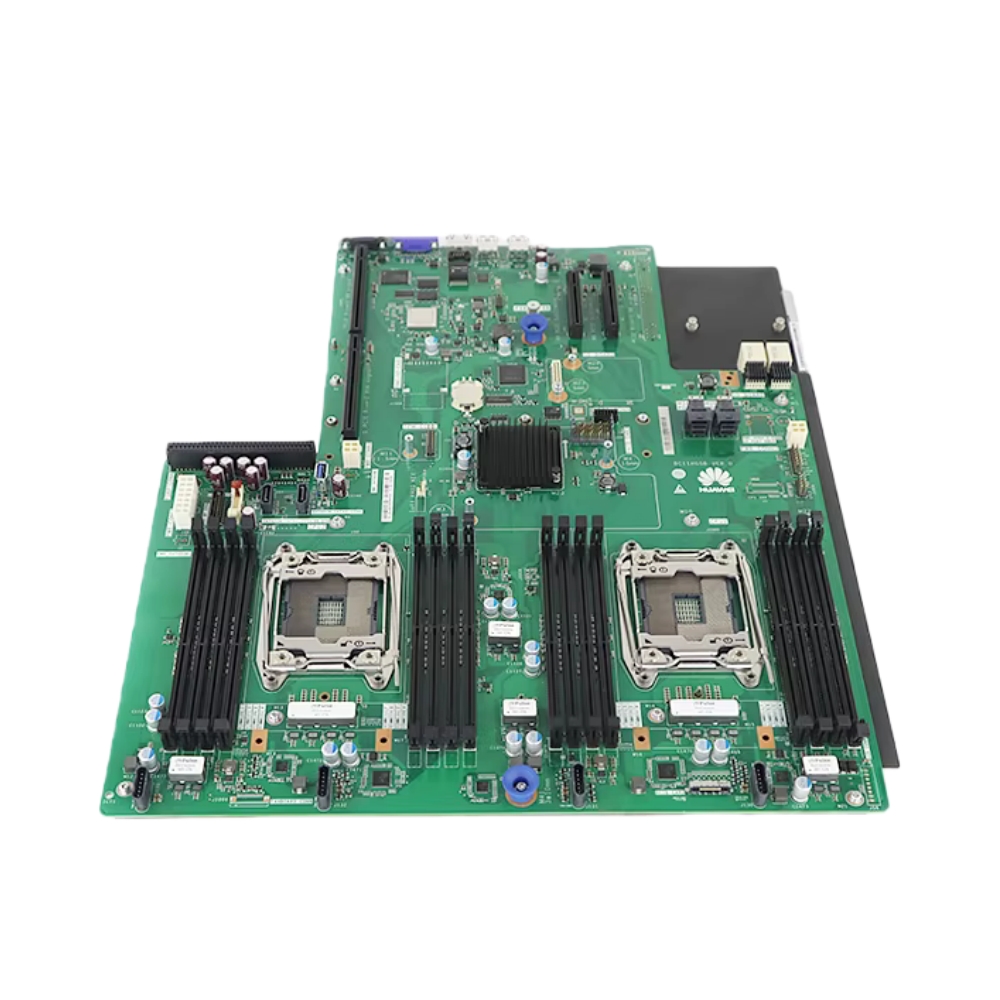
Selecting the right motherboard for high-performance computing or AI workloads is one of the most critical decisions in building a capable computing infrastructure. The motherboard serves as the central nervous system of your entire system, determining not only processing speed but also how efficiently data flows between components, how much power can be delivered to processors, and what expansion capabilities remain available for future upgrades. In AI and high-performance environments, choosing the wrong motherboard can become a costly bottleneck that limits your system's potential and wastes investment in other premium components. This guide will walk you through the essential factors that define a high-performance motherboard suitable for demanding workloads.

The modern computing landscape demands more from a motherboard than ever before. Whether you are deploying machine learning models, processing massive datasets, or running simulations that require sustained computational power, your motherboard must support advanced processor architectures, deliver robust power distribution, and provide sufficient connectivity for multiple accelerators. Understanding these requirements helps you invest in a motherboard that will truly support your workload demands rather than compromise performance.
Understanding Processor Socket and CPU Compatibility
Socket Selection for Current and Future Processors
The processor socket on your motherboard determines which CPU generation you can install and significantly impacts your upgrade path. Modern high-performance motherboards support sockets like LGA1700, SP5, or EPYC platforms designed specifically for server-grade and workstation processors capable of handling AI and scientific computing tasks. A motherboard built around a current-generation socket ensures you have access to the latest CPU architectures optimized for parallel processing and accelerated computing. When selecting a motherboard, verify that it supports the specific processor family you plan to deploy and that the firmware will be actively updated to support future processor revisions within that socket generation.
Multi-Socket and Dual-Processor Support
For extremely demanding AI workloads, some motherboard configurations support dual processors, effectively doubling your computational core count. A dual-socket motherboard requires careful evaluation of power delivery capacity, thermal management design, and memory configuration. The motherboard must be engineered to balance load between two processors, manage their shared memory bus efficiently, and ensure neither socket becomes a performance bottleneck. Dual-processor motherboards are typically found in enterprise server platforms, and they demand more sophisticated BIOS tuning and thermal engineering than single-socket alternatives.
Power Delivery and Thermal Management Capabilities
Power Supply Specifications and VRM Design
High-performance AI workloads consume significant electrical power, and your motherboard must deliver stable, clean power to the processor at all times. This capability depends on the voltage regulator module (VRM) quality, which converts input power into the precise voltages each component requires. A superior motherboard includes robust VRM design with multiple power phases, high-quality capacitors, and efficient transistors that minimize heat generation and voltage ripple. Look for motherboards that specify 16+ power phases or higher for processors exceeding 150 watts. The motherboard must also support adequate power connectors, typically including 8-pin or 12-pin CPU power headers, to supply the amperage required by high-core-count processors used in AI applications.
Thermal Design and Heat Dissipation
Sustained computational performance in AI environments generates substantial heat, and your motherboard must manage thermal loads effectively. Premium motherboards designed for high-performance workloads incorporate improved PCB construction, optimized trace routing for reduced resistive heating, and strategic heatsink placement on VRM components. The motherboard should feature multiple temperature sensors to monitor thermal conditions accurately and support advanced fan control profiles. Some enterprise-grade motherboards include redundant cooling zones and improved airflow channels specifically engineered for server enclosures. When evaluating a motherboard, examine whether it has adequate thermal instrumentation and whether the BIOS provides granular control over fan profiles and thermal throttling thresholds.
PCIe Connectivity and Expansion Slot Architecture
PCIe Generation and Lane Configuration
The motherboard's PCIe (PCI Express) lanes determine how many high-speed expansion devices you can connect simultaneously and at what throughput. Modern high-performance motherboards support PCIe 5.0 or PCIe 4.0, providing bandwidth necessary for GPU accelerators, NVMe storage, and network interfaces. Crucially, the motherboard must provide enough total PCIe lanes to support your entire expansion strategy. A typical AI server motherboard should offer at least 128 PCIe lanes, with some premium platforms providing 256 lanes or more. These lanes must be distributed across physical slots to support multiple GPUs operating at full bandwidth. If a motherboard only provides 64 lanes split across four GPU slots, each GPU runs at PCIe x16, which can become a bottleneck for bandwidth-intensive AI training. Verify that the motherboard documentation clearly specifies lane distribution across each slot.
Multiple GPU Support and Slot Layout
AI workloads frequently require multiple GPUs working in parallel, and the motherboard must support this configuration efficiently. The motherboard should have at least three to four full-length, full-height PCIe x16 slots capable of running GPUs simultaneously without bandwidth sharing. Spacing between slots matters significantly, as GPUs generate substantial heat and require adequate airflow. A motherboard designed for GPU computing typically includes spacing and heatsink design that accommodates multiple oversized accelerators. Additionally, the motherboard firmware and drivers must support GPU peer-to-peer communication, allowing accelerators to transfer data directly without routing through the CPU, which significantly improves AI training performance. Confirm that the motherboard BIOS provides NVLink or equivalent GPU communication options and that it has been validated with your intended GPU platform.
Memory Architecture and Support Specifications
Memory Capacity and Speed Compatibility
AI training models and data processing pipelines require substantial memory capacity, and your motherboard must support high memory density and fast speeds. Modern high-performance motherboards support DDR5 memory with speeds of 5600 MHz or higher, providing the bandwidth necessary to feed hungry processors and accelerators. The motherboard should support maximum memory configurations of at least 768 GB to 1 TB or higher, allowing your system to hold entire datasets in memory and minimize disk I/O latency. Verify that the motherboard supports registered ECC memory, which provides error correction crucial for scientific computing and long-running AI training jobs where data corruption could invalidate results. The number of DIMM slots directly affects maximum capacity, so a motherboard with 12 or more memory slots enables far greater flexibility than one with only 4 slots.
Memory Interleaving and NUMA Configuration
In multi-socket or high-capacity memory systems, the motherboard must provide intelligent memory interleaving and NUMA (Non-Uniform Memory Access) support. The motherboard firmware must properly balance memory access patterns across multiple memory controllers to prevent any single processor from experiencing memory latency bottlenecks. A well-designed motherboard enables NUMA-aware workload scheduling, allowing operating systems and AI frameworks to optimize data locality. This capability becomes critical for workloads exceeding single-socket capacity, as inefficient NUMA configuration can reduce performance by 20% or more. Examine whether the motherboard and its firmware have been optimized for NUMA-heavy workloads and whether system integrators provide validated configuration guides.
FAQ
What PCIe generation should I prioritize when selecting a motherboard for AI workloads?
PCIe 4.0 and PCIe 5.0 are the current standards for high-performance systems. A motherboard supporting PCIe 5.0 provides maximum future flexibility, but PCIe 4.0 remains highly capable for most current GPU accelerators. Prioritize motherboard models that provide sufficient total PCIe lanes (128+) and appropriate slot distribution over focusing solely on PCIe generation, as lane count often matters more than generation for multi-GPU AI systems.
Is ECC memory necessary for a motherboard used in AI computing?
ECC memory is highly recommended for AI workloads, particularly for long training runs or critical inference systems. ECC memory detects and corrects single-bit errors that can occur in memory cells, preventing silent data corruption that might invalidate training results. Ensure your motherboard supports ECC memory modules and that you enable ECC protection in BIOS, as some motherboards only offer ECC support when explicitly configured.
How do I evaluate whether a motherboard can handle multi-GPU configurations?
Review the motherboard specifications for total PCIe lanes, physical slot layout, and documented GPU configurations. A quality motherboard should clearly specify how PCIe lanes are allocated across each slot, include GPU cooling recommendations, and provide BIOS options for GPU peer-to-peer communication. Request validation from the motherboard manufacturer confirming support for your specific GPU model and target system configuration before purchasing.
