
 EN
EN
For any organization managing critical data assets, the question of long-term reliability is never trivial. Backup and archive storage systems are the last line of defense against data loss, hardware failure, and compliance risk — yet these same systems are often the least maintained infrastructure in an IT environment. Teams deploy storage solutions, confirm the initial setup works, and then largely leave them unattended until a problem forces their hand. This reactive approach is where reliability begins to erode silently over time.
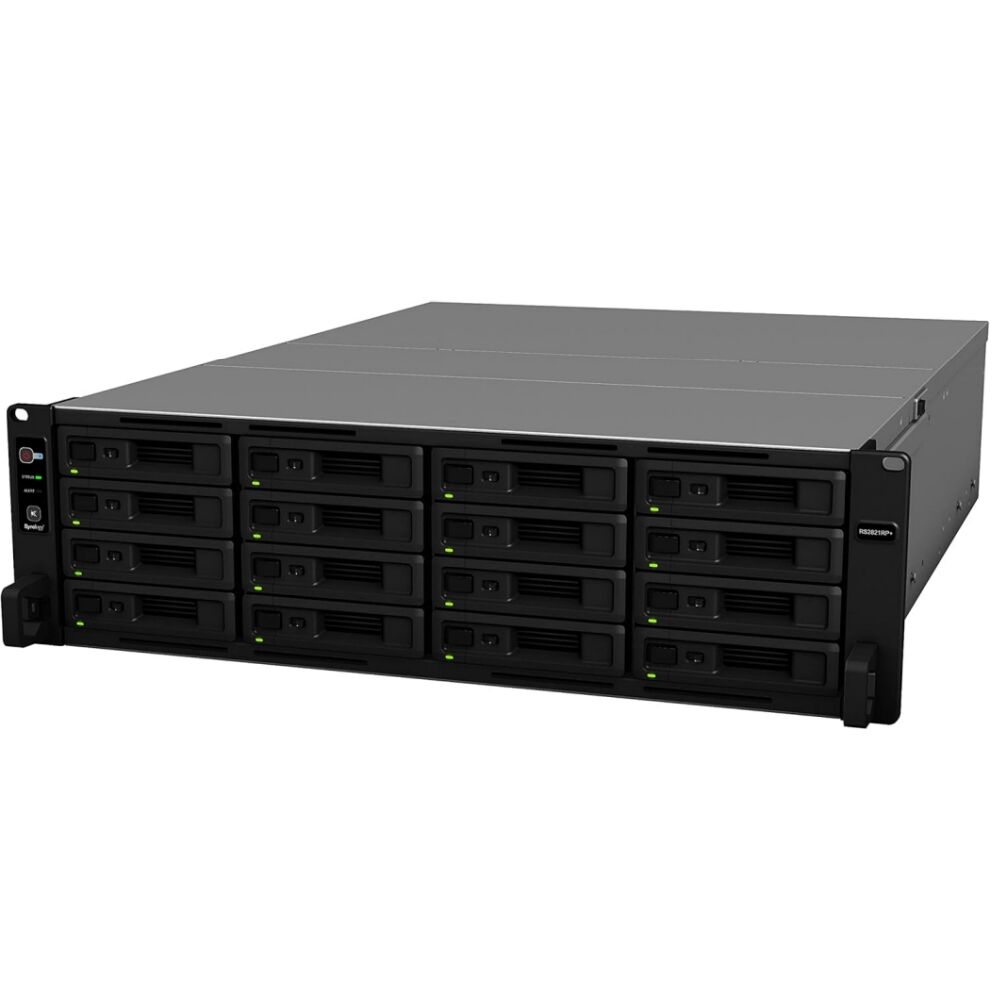
Long-term reliability in backup and archive storage is not a feature you purchase once — it is an outcome you achieve through consistent, disciplined maintenance practices. This article explores the specific operational habits, monitoring routines, and recovery-readiness measures that separate storage environments that remain dependable over years from those that fail when it matters most. Whether you manage a small business NAS unit or a rack-mounted enterprise-grade appliance, the principles apply with equal force.
Understanding the Reliability Risks Unique to Backup and Archive Storage
Why Archive Storage Faces Different Pressures Than Primary Storage
Primary storage systems receive constant attention because they power daily operations. Any slowdown or anomaly is noticed immediately. Backup and archive storage, by contrast, sits in the background — accessed infrequently, seldom monitored, and rarely tested until a disaster recovery scenario forces a full restore. This low-visibility role creates a dangerous illusion of stability.
Over time, drives in storage systems that are rarely accessed can develop silent read errors that go undetected until retrieval is attempted. Firmware updates that were applied to operational systems may never reach archive appliances. Even cooling systems in seldom-visited server rooms can fail without triggering any immediate business disruption — until the heat damage accumulates into hardware failure.
Understanding these unique pressure points is the first step toward building a maintenance framework that actually addresses them. Backup and archive storage must be treated with at least the same rigor as production systems, even though the consequences of neglect are slower to surface.
The Compounding Effect of Deferred Maintenance
Each missed firmware update, each unverified backup job, and each unchecked drive health report represents a small increment of accumulated risk. Individually, none of these oversights seems catastrophic. Collectively, they create a system that is significantly more likely to fail at precisely the moment it is needed most — during a recovery event when organizational pressure is already high.
Deferred maintenance also compounds storage costs over time. Drives that are not monitored through predictive health tools like S.M.A.R.T. diagnostics will fail without warning rather than providing an early replacement window. This forces emergency procurement and rushed migration rather than planned and budget-conscious hardware refreshes.
A well-structured maintenance program for backup and archive storage transforms this risk curve. It distributes effort evenly across scheduled windows rather than concentrating it into crisis-mode recovery events. The return on this maintenance investment is measured not just in uptime but in organizational confidence that the data will be there when it is needed.
Routine Health Monitoring for Storage Hardware and Media
Drive Health Checks and S.M.A.R.T. Diagnostics
Every storage administrator responsible for backup and archive storage should establish a regular cadence of drive health assessments. S.M.A.R.T. (Self-Monitoring, Analysis, and Reporting Technology) data provides early warning signals including reallocated sector counts, spin-up time anomalies, uncorrectable error rates, and temperature trends. These metrics are often visible through built-in storage management interfaces and should be reviewed at least monthly.
Beyond basic S.M.A.R.T. readings, periodic surface scans — sometimes called scrubbing or data integrity checks — verify that every sector of every drive in the array can be read correctly. RAID-based systems benefit especially from scheduled scrub operations, which cross-verify parity data and correct silent bit-rot before it accumulates into actual data loss. Most modern NAS and rack storage platforms allow these scrubs to be scheduled automatically during off-peak hours.
For tape-based archive storage, similar discipline applies. Tape media degrades over time, and the physical cleaning of tape drives using approved cleaning cartridges should be performed on the manufacturer-recommended schedule. Ignoring cleaning cycles leads to read/write head contamination, which is one of the leading causes of tape reliability failure in long-term archive environments.
Environmental and Power Monitoring
The physical environment surrounding backup and archive storage hardware plays an equally significant role in long-term reliability. Temperature, humidity, and power quality are environmental stressors that silently accelerate hardware degradation. Storage systems should operate within manufacturer-specified temperature ranges, typically between 10°C and 35°C, and humidity should remain low enough to prevent condensation on drive platters or circuit boards.
Power quality is particularly critical for archive storage systems that may be located in secondary facilities or off-site vaults with less rigorous infrastructure management. Uninterruptible power supplies (UPS) should be inspected regularly, with battery replacement cycles adhered to strictly. Power fluctuations and unexpected shutdowns are among the most common causes of file system corruption in storage arrays.
Rack-mounted storage systems with redundant power supply units — such as those designed for high-availability environments — provide an additional layer of resilience, but only if both PSUs are confirmed operational. A single failed PSU in a dual-redundant system gives a false sense of security if the failure goes undetected. Regular checks must confirm that both units are live and load-balanced as designed.
Data Integrity Verification and Restore Testing
Why Backup Verification Is Non-Negotiable
One of the most underperformed maintenance practices in backup and archive storage management is regular restore testing. An organization can have a perfectly functioning backup job running every night, but if the restore process has never been verified, the backup's actual value is unknown. Backup jobs can complete with errors that are logged but never reviewed. Backup files can become corrupted silently. Restore procedures can be outdated and fail due to software version mismatches.
Best practice is to perform restore tests on a scheduled basis — at minimum quarterly for critical data sets, and ideally monthly for mission-critical archives. These tests should simulate realistic recovery scenarios, not just confirm that a single test file can be retrieved. Full volume restores, database consistency checks post-restore, and application-layer verification should all be part of the testing protocol.
Modern backup and archive storage platforms often include built-in verification tools that can check backup integrity automatically after each job completes. Enabling and reviewing these features is a low-effort, high-value practice that provides continuous assurance rather than relying solely on periodic manual testing.
Checksum Validation and Long-Term Data Fidelity
For archival data that must remain intact for years or even decades, checksum validation is a foundational maintenance tool. When files are written to the archive, a cryptographic hash (such as SHA-256) should be generated and stored separately. Periodic re-verification of these hashes confirms that no silent data corruption has occurred due to bit-rot, media degradation, or file system errors.
This practice is especially important in regulated industries where data integrity is not merely a technical preference but a legal and compliance requirement. Healthcare organizations, financial institutions, and government agencies maintaining long-term archives must be able to demonstrate that their stored data has not been altered or degraded since the time of original archival.
Systems supporting advanced file systems such as ZFS or Btrfs provide native inline checksumming that automates much of this process. For organizations evaluating or upgrading their backup and archive storage infrastructure, selecting platforms with built-in data integrity features significantly reduces the manual overhead required to maintain long-term fidelity.
Firmware, Software, and Configuration Management
Keeping Storage Firmware and OS Current
Storage system firmware updates are not optional maintenance items — they are reliability investments. Firmware updates frequently include fixes for drive compatibility issues, performance regressions, security vulnerabilities, and RAID controller stability improvements. A storage system running outdated firmware may be operating with known bugs that have already been corrected by the manufacturer.
For backup and archive storage specifically, where the system may not receive the same frequency of administrative attention as production infrastructure, establishing a firmware review and update schedule is essential. Many administrators review firmware release notes quarterly and apply updates during planned maintenance windows. This approach balances stability — by avoiding the immediate adoption of brand-new releases — with security and reliability — by not falling more than one or two versions behind.
The same discipline applies to the backup software layer. Backup agents, management consoles, and deduplication engines all receive updates that address data integrity, performance, and compatibility issues. Ensuring that all components of the backup and archive storage stack are running compatible and current versions prevents a wide category of avoidable operational failures.
Configuration Documentation and Change Management
One frequently overlooked dimension of backup and archive storage maintenance is configuration documentation. Storage systems accumulate layers of configuration over time — RAID group layouts, volume settings, scheduled job parameters, replication targets, network interface assignments, and encryption key management settings. When these configurations are not documented, staff turnover or system failures can leave teams unable to reconstruct the environment quickly.
A configuration snapshot should be exported and stored securely every time a significant change is made to the storage system. Many platforms support exporting configuration files that can be used for rapid system restoration. This documentation should be stored in a location that is accessible even when the storage system itself is offline — a critical consideration that teams often miss.
Change management practices should also govern modifications to backup and archive storage systems. Any change to backup schedules, retention policies, encryption settings, or RAID configurations should go through a formal review and approval process. Undocumented, ad hoc changes are a primary root cause of configuration drift, which can silently degrade system behavior over time.
Capacity Planning and Long-Term Media Management
Proactive Capacity Management for Growing Archives
Archive storage, by its nature, tends to grow continuously. Organizations accumulate years of data, and if capacity planning is reactive rather than proactive, storage administrators find themselves making emergency purchasing decisions under pressure. Proactive capacity management for backup and archive storage involves tracking growth rates regularly, projecting future capacity requirements based on data generation trends, and initiating procurement and expansion planning well in advance of hitting critical thresholds.
Most storage management platforms provide capacity trend reporting and alerting capabilities. Setting meaningful threshold alerts — typically at 70% and 85% utilization — gives teams sufficient lead time to plan hardware expansion, implement data tiering, or adjust retention policies. Waiting until a storage volume hits 95% capacity before acting is a maintenance failure, not a resource constraint.
Organizations should also evaluate whether their backup and archive storage architecture supports non-disruptive capacity expansion. Systems that allow hot-swappable drive additions or online volume expansion reduce the risk introduced by maintenance downtime during capacity upgrades.
Drive Replacement Cycles and Media Refresh Strategies
Hard drives in backup and archive storage systems have finite operational lifespans, typically rated at three to five years depending on duty cycle and manufacturer specifications. Archive storage drives that run 24/7 in high-temperature environments may see shortened lifespans, while cold-storage drives that spin down when not in use may last longer. Regardless, a defined drive replacement cycle based on age and health data should be part of every storage maintenance plan.
When refreshing drive media, the migration process itself must be treated as a high-risk event requiring its own maintenance protocols. Data should be verified before and after migration. RAID rebuilds following drive replacement should be monitored in real time, as the rebuild process stresses remaining drives and can trigger secondary failures. During a rebuild, the system is operating in a degraded state, and proactive notification of this condition to stakeholders is sound practice.
For organizations using tape media in their archive tiers, tape cartridge replacement cycles aligned with manufacturer lifespan recommendations — often measured in load cycles or years — prevent media deterioration from becoming a data loss event. Tape media should also be stored in controlled environments separate from the primary storage location to mitigate disaster scenarios that could simultaneously affect both archive media and production systems.
FAQ
How often should restore tests be performed on backup and archive storage?
Restore testing should be performed at minimum quarterly for critical data sets, and monthly for mission-critical archives. Tests should go beyond retrieving a single file and should simulate realistic recovery scenarios including full volume restores and application-layer verification. Regular testing is the only way to confirm that backup and archive storage systems will perform as expected during an actual recovery event.
What environmental conditions most affect the long-term reliability of backup and archive storage?
Temperature and humidity are the primary environmental factors. Storage systems should operate within the manufacturer-specified temperature range, typically 10°C to 35°C, with low humidity to prevent condensation. Power quality is equally important — UPS systems should be maintained on schedule, and storage systems with redundant power supply units should have both PSUs confirmed operational regularly. Poor environmental conditions silently accelerate hardware degradation in backup and archive storage systems.
Why is firmware maintenance important for backup and archive storage systems that are rarely accessed?
Firmware updates resolve known bugs, security vulnerabilities, RAID controller stability issues, and drive compatibility problems. Backup and archive storage systems that are infrequently accessed are often the last to receive firmware attention, yet they carry the highest consequence of failure. Running outdated firmware on archive storage increases the risk of experiencing problems that have already been identified and corrected by the manufacturer. Quarterly firmware review cycles are considered a baseline best practice.
How does checksum validation protect long-term archived data?
Checksum validation involves generating a cryptographic hash of files when they are written to the archive and periodically re-verifying those hashes to detect silent data corruption. Over time, factors like bit-rot, media aging, and file system errors can alter stored data without generating visible errors. By comparing current checksums against stored originals, administrators can detect data degradation early and initiate recovery before the corruption becomes irreversible. This is especially critical for regulated industries where backup and archive storage integrity must be demonstrable for compliance purposes.
Table of Contents
- Understanding the Reliability Risks Unique to Backup and Archive Storage
- Routine Health Monitoring for Storage Hardware and Media
- Data Integrity Verification and Restore Testing
- Firmware, Software, and Configuration Management
- Capacity Planning and Long-Term Media Management
-
FAQ
- How often should restore tests be performed on backup and archive storage?
- What environmental conditions most affect the long-term reliability of backup and archive storage?
- Why is firmware maintenance important for backup and archive storage systems that are rarely accessed?
- How does checksum validation protect long-term archived data?