
 EN
EN
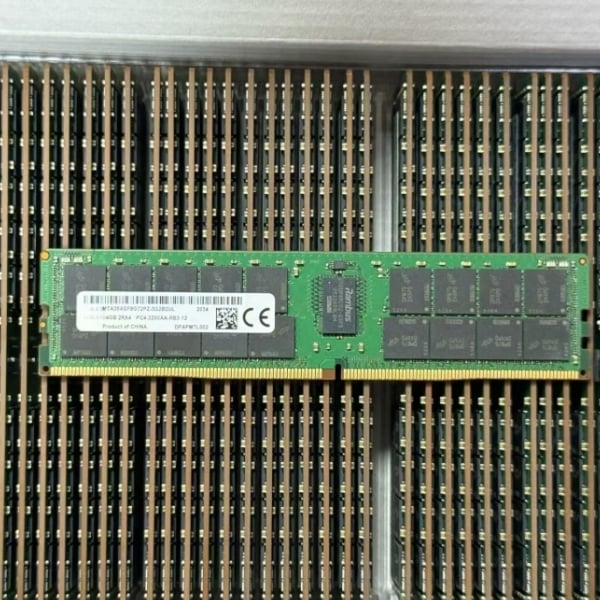
Selecting the right ram memory kit for your motherboard is one of the most critical decisions you'll make when building or upgrading a server or workstation. The wrong choice can lead to system instability, performance degradation, or complete incompatibility issues that cost valuable time and resources. Your motherboard's supported configurations determine which ram memory modules will work reliably in your system, and understanding these specifications is essential before making any purchase.
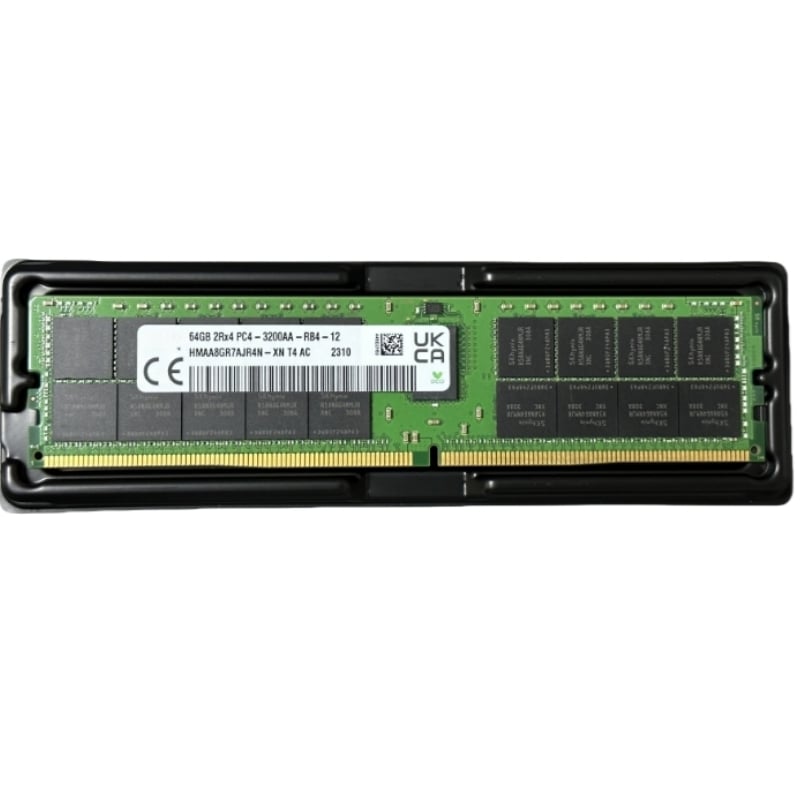
The process of selecting appropriate ram memory involves more than simply checking how many slots your motherboard has available. You must verify supported speeds, voltage requirements, form factors, and capacity limits specific to your processor and chipset combination. This guide will walk you through the essential steps to identify and select the perfect ram memory kit that matches your motherboard's capabilities and your system's performance needs.
Understanding Your Motherboard's RAM Memory Specifications
Identifying Maximum Supported Capacity
Every motherboard has a maximum ram memory capacity it can support, determined by its chipset and BIOS design. This specification varies dramatically across different platforms, from 32GB on consumer boards to 768GB or more on high-end server platforms. Before selecting your ram memory kit, locate your motherboard's manual or manufacturer specification sheet to identify this critical limit. Installing ram memory that exceeds this threshold may result in the system failing to recognize excess capacity or exhibiting unpredictable behavior.
Checking Supported Memory Speeds and Standards
Your motherboard supports specific ram memory speeds and standards, typically indicated as DDR4, DDR5, or other generation designations with associated megahertz ratings. The JEDEC standard speed represents the guaranteed operational frequency for your ram memory, while faster options may be available through XMP or overclocking profiles. Mixing incompatible ram memory speeds or generations will cause your system to either reject the installation or operate at the lowest supported speed. Always verify that your chosen ram memory kit matches the official supported specifications listed in your motherboard documentation.
Critical Compatibility Factors for RAM Memory Selection
Voltage and Timings Requirements
The voltage requirements for your ram memory must align precisely with what your motherboard provides, as mismatched voltage can damage components irreversibly. Standard ram memory voltage for modern systems ranges from 1.2V to 1.5V depending on the generation and speed grade. Timings, expressed as CAS latency and other parameters, influence how quickly your ram memory responds to requests from your processor. While different timing profiles may work with your motherboard, tighter timings in your ram memory kit generally provide slightly better performance when properly matched to your system configuration.
Form Factor and Slot Compatibility
The physical form factor of your ram memory module must match your motherboard's slot design, with DIMM and SO-DIMM being the most common for modern systems. Server-grade motherboards often support ECC ram memory, which includes error-checking functionality not found in standard ram memory modules. Your specific motherboard may enforce strict requirements around whether it accepts only registered, unbuffered, or ECC variants of ram memory. Attempting to install incompatible ram memory form factors will result in physical obstruction or electrical incompatibility that prevents the system from booting.
Practical Steps for Selecting Your RAM Memory Kit
Verifying Processor and Chipset Support
The processor and chipset combination in your system ultimately determines which ram memory options are viable, regardless of motherboard design. Intel and AMD processors each support specific ram memory generation standards, with newer generations supporting faster speeds and higher capacities than older ones. ram memory compatibility lists provided by processor manufacturers clearly indicate which specifications your system can utilize. Cross-referencing your processor model with official compatibility databases ensures your selected ram memory kit will be recognized and function optimally.
Balancing Capacity Against Your Workload
Selecting the appropriate capacity for your ram memory kit depends on your system's intended workload and budget constraints. Database servers, virtualization hosts, and AI workstations demand significantly more ram memory than general-purpose office systems. Start by calculating your typical peak memory usage, then add a 20-30% buffer to ensure your ram memory capacity handles growth and unexpected demand spikes. Oversizing your ram memory allocation is often more cost-effective than upgrading later, especially in server environments where ram memory costs scale favorably with capacity.
Confirming XMP and BIOS Support
If you're considering high-performance ram memory kits with XMP profiles, verify that your motherboard BIOS explicitly supports and recognizes those profiles. Your motherboard's firmware version may need updating to fully support certain ram memory specifications, particularly for very new or specialized memory kits. Testing your configured ram memory setup with memory diagnostic tools after installation confirms stability before deploying the system to production. Modern motherboards typically auto-detect XMP profiles for compatible ram memory, but manual BIOS configuration may be necessary in some cases.
FAQ
What happens if I install incompatible ram memory in my motherboard?
Incompatible ram memory may fail to be recognized by your system, cause boot failures, trigger system crashes, or result in data corruption. The severity depends on the type of incompatibility—speed mismatches typically result in the system running all ram memory at the lowest common denominator speed, while voltage or form factor incompatibilities prevent the system from operating entirely. Always verify compatibility before purchasing to avoid costly replacement or troubleshooting situations.
Can I mix different speeds of ram memory in the same motherboard?
Mixing different ram memory speeds is technically possible but not recommended, as your motherboard will throttle all ram memory modules to match the slowest one. This defeats the purpose of investing in faster ram memory and wastes the performance potential of higher-speed modules. For optimal performance and stability, use ram memory kits with identical speed ratings throughout your system configuration.
How do I determine the maximum ram memory capacity my motherboard supports?
Consult your motherboard's official specifications document or manufacturer website, which clearly lists the maximum supported ram memory capacity for your specific model. You can also contact your motherboard's support team or check the BIOS information screen after booting, which sometimes displays maximum memory specifications. Additionally, processor specifications from Intel or AMD indicate the memory support ceiling, which may be lower than your motherboard's physical limit and will take precedence.
