
 EN
EN

Determining the right RAM capacity for memory-intensive workloads is one of the most consequential decisions in modern server infrastructure planning. Whether you are running large-scale AI training jobs, real-time inference engines, or high-transaction relational databases, the amount of system memory you provision directly shapes performance ceilings, latency profiles, and total cost of ownership. Getting this calculation wrong in either direction — too little or too much — carries measurable operational and financial consequences that compound over time.
This article walks through the systematic methodology for calculating optimal RAM capacity across two of the most demanding computing domains: artificial intelligence workloads and enterprise database environments. Rather than offering generic rules of thumb, the goal is to explain the underlying logic, variables, and validation steps that allow infrastructure architects and IT decision-makers to arrive at a defensible, workload-specific memory specification. Understanding how to approach this calculation also helps future-proof your hardware investments as data volumes continue to grow.
Why RAM Capacity Has a Direct Impact on Workload Performance
Memory as the Bottleneck in AI and Database Environments
Before diving into the calculation methodology, it is important to understand why RAM capacity is so central to AI and database performance rather than just another hardware specification. In AI workloads, especially deep learning model training, the entire model architecture, weight tensors, gradient buffers, and mini-batches of training data must reside in active memory during computation. If available RAM capacity is insufficient to hold these elements simultaneously, the system is forced to swap data to slower storage tiers, causing dramatic throughput degradation.
In database environments, RAM capacity determines how much of the working dataset — including index pages, buffer pools, query execution plans, and temporary sort areas — can be held in memory versus retrieved from disk. Every disk read that could have been served from memory represents added latency, and at high transaction volumes, that latency accumulates into significant performance loss. This makes the relationship between RAM capacity and query response time nearly linear up to the point where the entire working set fits comfortably in memory.
The Hidden Cost of Under-Provisioning Memory
Under-provisioning RAM capacity is rarely obvious during initial deployment. Systems often appear functional under light loads, but as concurrent users grow or model complexity increases, performance degrades non-linearly. A database server running with insufficient RAM capacity begins exhibiting increased I/O wait times, elevated disk read rates, and query timeout events that are frequently misdiagnosed as CPU or storage problems. Similarly, AI training jobs that exceed available memory may complete but at a fraction of the expected throughput, extending training cycles from hours to days.
The business cost of under-provisioned RAM capacity extends beyond performance. It often drives premature hardware refresh cycles, expensive emergency upgrades, and lost productivity. Understanding how to calculate the correct RAM capacity upfront is therefore not just a technical exercise but a financial optimization strategy.
Calculating RAM Capacity for AI Workloads
Model Size and Parameter Memory Requirements
The foundational calculation for AI RAM capacity begins with model parameter count. Each parameter in a neural network requires storage in a specific numerical precision format. In full 32-bit floating point precision, each parameter consumes 4 bytes. A model with 7 billion parameters therefore requires approximately 28 GB just to store its weights in memory. In 16-bit mixed precision, this drops to roughly 14 GB, but the reduction in RAM capacity requirement does not end there.
During training, the system must also hold optimizer states, which in the popular Adam optimizer consume an additional 8 bytes per parameter for the first and second moment estimates. Gradient buffers add another 4 bytes per parameter in 32-bit precision. This means the effective RAM capacity needed for training a 7-billion-parameter model in mixed precision approaches 80 to 100 GB just for model state, before accounting for input data batches. This calculation forms the baseline from which all further memory planning proceeds.
Batch Size, Activations, and Overhead Memory
Beyond model state, RAM capacity requirements scale with training batch size and activation memory. Activation tensors — the intermediate outputs produced at each layer during the forward pass — must be retained in memory until the backward pass completes during backpropagation. For very deep networks such as transformer architectures, activation memory can rival or exceed parameter memory at large batch sizes, making it a critical factor in RAM capacity calculations.
A practical formula for estimating training RAM capacity in bytes is: (Parameters × Bytes per Parameter × Precision Factor) + (Batch Size × Sequence Length × Hidden Dimension × Number of Layers × Activation Bytes) + System Overhead. The system overhead component, which includes operating system memory, framework runtime, data loader buffers, and miscellaneous processes, typically adds between 10 and 20 percent to the raw calculated figure and should never be ignored when specifying RAM capacity.
Inference Workloads and Multi-Model Hosting
Inference workloads have a different RAM capacity profile compared to training. Since gradients are not computed during inference, the memory footprint is significantly smaller per model. However, production AI environments often host multiple model versions simultaneously for A/B testing, fallback routing, or multi-task serving. Each hosted model instance consumes its own share of RAM capacity, and when these are combined with the concurrent request queue and tokenization buffers in large language model serving, the aggregate memory demand climbs quickly.
For inference serving platforms, it is common practice to calculate per-model RAM capacity requirements individually and then sum them with a 30 to 40 percent headroom buffer to accommodate concurrent request spikes. This approach ensures that the system does not become memory-bound during traffic surges, which would cause request queuing and latency spikes visible to end users.
Calculating RAM Capacity for Database Workloads
Buffer Pool Sizing and Working Set Analysis
Database RAM capacity calculations center on the concept of the working set — the portion of the total database that is actively read or written during a representative workload period. The goal is to provision enough RAM capacity so that the buffer pool, which caches frequently accessed data pages, can hold the entire working set without evicting pages prematurely. When the buffer pool is large enough to contain the working set, the cache hit ratio approaches 99 percent or higher, and disk I/O drops to near zero for read operations.
Calculating the working set requires workload profiling. Database administrators should measure active data access patterns over a representative time window — typically one full business cycle — and identify the volume of pages accessed with significant frequency. This active page set, multiplied by the page size of the database engine, gives a baseline RAM capacity requirement for the buffer pool. Adding space for index pages, temporary tables, sort buffers, and connection-level memory allocations produces the total database RAM capacity requirement.
OLTP vs. OLAP Memory Profiles
Online transaction processing and online analytical processing workloads have fundamentally different RAM capacity profiles that must be calculated separately. OLTP workloads are characterized by high concurrency and small, targeted queries that access narrow rows across large tables. The memory demand per query is relatively low, but the aggregate RAM capacity needed to support hundreds or thousands of concurrent sessions — each with its own connection buffer, sort space, and execution plan cache — adds up considerably.
OLAP workloads involve complex analytical queries that perform large sequential scans, joins across multiple large tables, and aggregations over millions of rows. These queries demand significant RAM capacity for temporary result sets and hash join operations. In-memory database engines designed for OLAP can require that the entire dataset fit within RAM capacity to deliver their promised query performance, making accurate data sizing the starting point for any capacity calculation.
Growth Projections and Memory Headroom
A critical and frequently overlooked dimension of RAM capacity planning for databases is growth headroom. Databases grow as business operations expand, and a memory specification that perfectly matches today's working set may become a bottleneck within 18 to 24 months. Industry best practice recommends calculating the current RAM capacity requirement and then applying a growth multiplier based on expected data volume increases, typically between 1.5x and 2x over a three-year planning horizon.
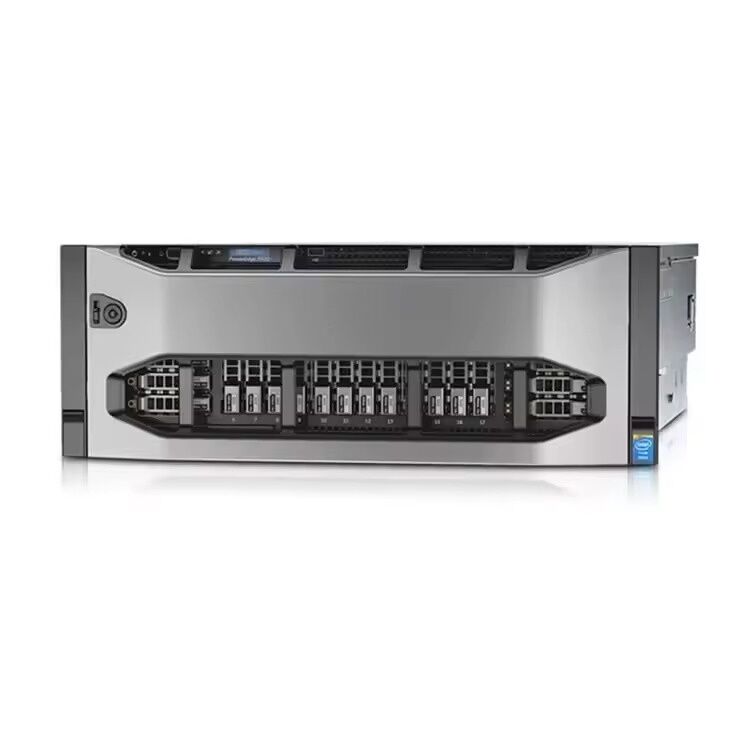
Servers that support high DIMM slot counts are particularly valuable in this context because they allow RAM capacity to be expanded incrementally as demand grows rather than requiring a full server replacement. For organizations running memory-intensive AI and database workloads simultaneously, platforms such as the RAM capacity-maximizing four-socket server designs with 96 DIMM slots offer the physical memory scalability needed to future-proof demanding enterprise environments.
Practical Steps to Validate Your RAM Capacity Calculation
Benchmarking and Profiling Before Procurement
Theoretical calculation of RAM capacity requirements provides a starting point, but empirical validation is essential before committing to a hardware procurement decision. Where possible, running representative workloads on a test environment with memory monitoring tools provides direct evidence of actual consumption. Tools such as memory profilers for AI frameworks and database performance monitoring dashboards can reveal peak RAM capacity utilization, memory allocation patterns, and the frequency of memory pressure events such as swap activity or buffer pool evictions.
If a full test environment is not available, vendor-supplied benchmarks and publicly available workload characterization studies for comparable datasets and model architectures can supplement the theoretical calculation. The key is to never rely solely on calculated figures when RAM capacity decisions involve large capital commitments, as real-world memory consumption frequently exceeds theoretical minimums due to fragmentation, runtime overhead, and concurrent process demands.
Applying the Right Safety Margin
Once the baseline RAM capacity figure is established through calculation and validation, a safety margin must be applied before finalizing the specification. For AI training workloads, a minimum 20 percent overhead buffer above the calculated peak usage is recommended to accommodate out-of-memory spikes during dynamic batch size exploration and model architecture experimentation. For database environments, a 25 to 30 percent margin above the working set plus operational overhead provides adequate protection against unexpected query complexity and concurrent session surges.
The final RAM capacity specification should also be rounded up to align with supported DIMM configuration options for the target server platform. Most enterprise servers support memory in specific channel-balanced configurations, and choosing a RAM capacity that maximizes channel utilization also maximizes memory bandwidth — a secondary performance factor that matters significantly in both AI and database workloads where memory bandwidth can become a bottleneck independent of total capacity.
FAQ
How do I estimate RAM capacity for a large language model running on-premises?
Start by multiplying the model's parameter count by the bytes per parameter for your chosen numerical precision — 4 bytes for FP32, 2 bytes for FP16 or BF16. Add memory for optimizer states if training, or skip this step for inference-only deployments. Multiply the result by 1.5 to 2x to account for activation buffers, system overhead, and framework runtime. Then apply an additional 20 to 30 percent headroom buffer to arrive at a safe RAM capacity specification for production deployment.
What is the relationship between RAM capacity and database cache hit ratio?
Cache hit ratio measures the percentage of database read requests served from memory rather than disk. As RAM capacity increases, more of the active working set fits in the buffer pool, and the cache hit ratio rises. Once the entire working set resides in memory, the hit ratio plateaus near 100 percent and additional RAM capacity provides diminishing returns for read performance. The goal in database memory planning is to identify the minimum RAM capacity at which the hit ratio reaches this plateau for your specific workload.
Can I use the same RAM capacity calculation method for both OLTP and OLAP workloads?
The general framework is similar — calculate working set size, add operational buffers, and apply a growth multiplier — but the specific variables differ significantly. OLTP calculations must account for per-connection memory allocations and plan cache, while OLAP calculations must account for large temporary result sets and sort memory. If the same server hosts both workload types, calculate RAM capacity requirements for each independently and sum them, rather than assuming one calculation covers both scenarios.
How many DIMM slots do I need to support high RAM capacity in an enterprise server?
The number of DIMM slots determines both the maximum achievable RAM capacity and the memory bandwidth available through parallel channel access. Servers with 48 or fewer DIMM slots may cap out at 3 to 6 TB of RAM capacity with current DIMM technology, which can be insufficient for the most demanding AI and in-memory database workloads. Enterprise four-socket platforms with 96 DIMM slots offer substantially greater headroom for both total RAM capacity and memory bandwidth, making them well-suited for organizations that need to scale memory aggressively alongside growing AI model sizes and database working sets.
Table of Contents
- Why RAM Capacity Has a Direct Impact on Workload Performance
- Calculating RAM Capacity for AI Workloads
- Calculating RAM Capacity for Database Workloads
- Practical Steps to Validate Your RAM Capacity Calculation
-
FAQ
- How do I estimate RAM capacity for a large language model running on-premises?
- What is the relationship between RAM capacity and database cache hit ratio?
- Can I use the same RAM capacity calculation method for both OLTP and OLAP workloads?
- How many DIMM slots do I need to support high RAM capacity in an enterprise server?