
 EN
EN
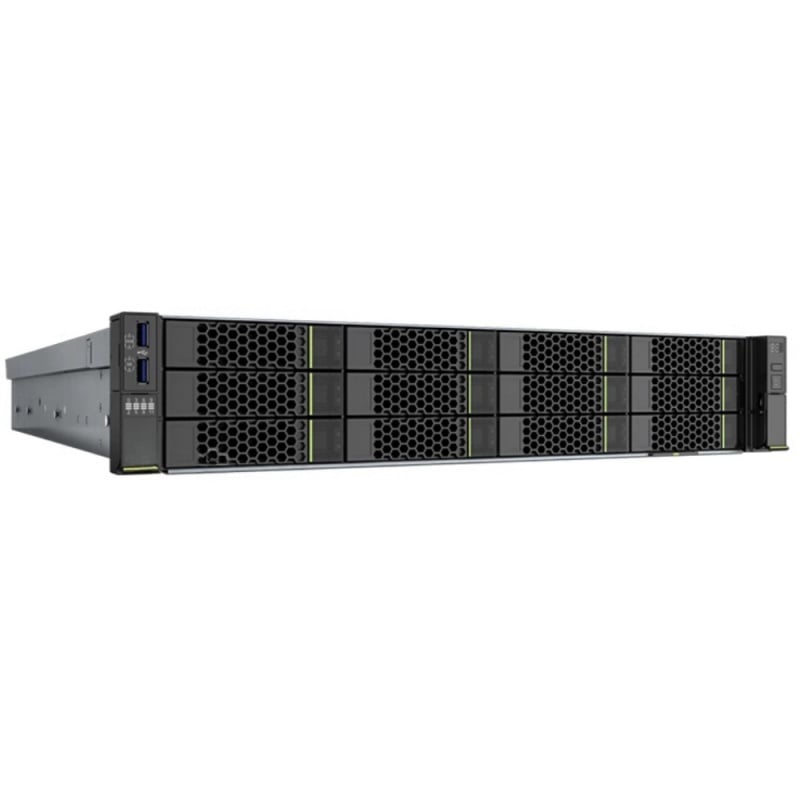
Every IT decision-maker eventually faces the same challenge: how to build a server configuration that delivers the performance your workloads demand without exceeding the budget your organization has approved. Server configuration is not a one-size-fits-all exercise. The right balance between processors, RAM, and storage depends heavily on your specific workload type, growth projections, and the total cost of ownership your finance team will accept.
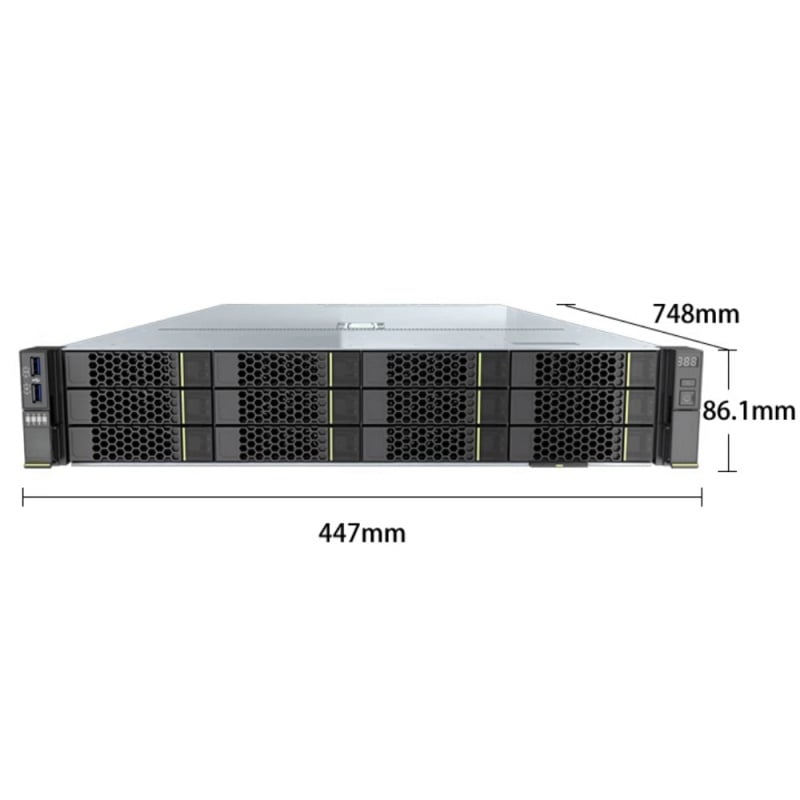
Getting your server configuration right from the start saves money over the long term. An underpowered server configuration forces costly upgrades or replacements within months, while an over-specified server configuration wastes capital that could fund other infrastructure priorities. This article walks through the key decision factors across processors, RAM, and storage so you can specify a server configuration that genuinely matches your environment and budget.
Processor Selection in a Balanced Server Configuration
Core Count Versus Clock Speed in Server Configuration
When specifying the processor for your server configuration, the first question is whether your workloads are parallelized or single-threaded. A server configuration built for database transactions, virtualization, or scientific modeling benefits from higher core counts, while a server configuration supporting legacy line-of-business applications may respond better to higher per-core clock speeds. Choosing the wrong balance in your server configuration at this stage leads to persistent performance gaps that no amount of RAM or storage can compensate for.
Modern server configuration decisions often involve dual-socket options, and the cost implications are significant. A dual-processor server configuration nearly doubles your CPU licensing fees for software like operating systems and databases. If your server configuration workload does not justify two sockets, a well-specified single-socket server configuration with a high-core-count processor often delivers better value. Always map the processor tier in your server configuration to the actual thread demand of your applications before committing to a purchase.
Processor Generation and TDP in Server Configuration
Processor generation matters in any server configuration because newer generations deliver better instructions-per-clock performance, lower thermal design power, and improved memory bandwidth. Specifying an older-generation processor in your server configuration may reduce upfront cost but can increase power consumption and cooling expenses over the server configuration lifecycle. When evaluating processor options for your server configuration, always compare the total cost of ownership rather than the purchase price alone, factoring in power draw, cooling requirements, and the expected operational lifespan of the server configuration.
RAM Planning for an Efficient Server Configuration
Capacity, Speed, and Channel Configuration in Server RAM
RAM is one of the most cost-sensitive components in any server configuration, and it is also one of the easiest to miscalculate. A server configuration with insufficient RAM forces the operating system to use disk-based swap space, degrading performance dramatically and often making the entire server configuration feel slower than its processor spec suggests. Conversely, a server configuration loaded with far more RAM than applications will ever use ties up capital unnecessarily.
DDR4 memory in a modern server configuration offers a practical balance of speed, density, and cost. When planning RAM for your server configuration, consider not just the total capacity but also the number of populated DIMM slots, since populating all channels in a server configuration maximizes memory bandwidth. A server configuration with 24 DIMM slots, for example, allows highly granular capacity scaling, letting you start with a modest server configuration RAM footprint and expand as workload demand grows. This flexibility is a genuine cost-management advantage in long-lifecycle server configuration deployments.
ECC Memory and Server Configuration Reliability
Error-correcting code memory is a standard expectation in any production server configuration. ECC RAM detects and corrects single-bit memory errors in real time, protecting your server configuration from silent data corruption that could otherwise cause application crashes or data integrity failures. While ECC memory carries a slight cost premium over non-ECC alternatives, the risk exposure of running a mission-critical server configuration without ECC far outweighs the savings. Always specify ECC RAM in any server configuration that handles live workloads.
Storage Decisions That Shape Server Configuration Value
SSD Versus HDD in Server Configuration Planning
Storage is where server configuration budget decisions often become most visible. NVMe SSDs deliver exceptional IOPS and latency in a server configuration but carry a high per-gigabyte cost. SATA SSDs offer a strong middle ground in many server configuration scenarios, providing solid performance at a more accessible price point. Traditional spinning HDDs remain relevant in a server configuration where high-capacity bulk storage is required and latency is not a primary concern, such as archival storage or backup target server configuration roles.
The server configuration storage tier you choose should match the I/O profile of your workloads. A database-heavy server configuration benefits enormously from NVMe or SATA SSD primary storage, while a server configuration used primarily for file serving or backup can leverage high-density HDDs with an SSD caching layer. Hybrid storage architectures in a server configuration allow you to place frequently accessed data on fast solid-state media while keeping bulk data on lower-cost spinning drives, optimizing both the server configuration performance profile and the overall cost structure.
RAID and Redundancy in Server Configuration
No server configuration storage plan is complete without considering RAID levels and redundancy. A server configuration without disk redundancy is vulnerable to a single drive failure causing complete data loss. Selecting an appropriate RAID level for your server configuration — whether mirroring for critical data or parity-based configurations for balanced capacity and protection — adds resilience without necessarily multiplying cost. Hardware RAID controllers in a purpose-built server configuration also offload parity calculations from the main processor, improving overall server configuration throughput.
FAQ
How do I decide how much RAM to include in my server configuration?
Start by profiling the memory consumption of your intended workloads under peak load. A good server configuration practice is to provision at least 20 to 30 percent more RAM than current peak usage to accommodate growth and avoid performance degradation as workloads expand. Also check the DIMM slot count in your server configuration so you can plan cost-efficient expansion paths.
Is it worth spending more on a newer processor generation for my server configuration?
In most cases, yes. A newer processor generation in your server configuration typically improves power efficiency, memory bandwidth, and per-core performance simultaneously. Over a three-to-five-year server configuration lifecycle, the energy savings and performance headroom from a current-generation processor often justify the incremental purchase cost compared to specifying older silicon in your server configuration.
When should I choose NVMe storage over SATA SSD in a server configuration?
Choose NVMe in your server configuration when your workloads involve high-concurrency database queries, real-time analytics, or latency-sensitive applications where microsecond response times matter. For general-purpose server configuration roles such as web serving, light virtualization, or development environments, SATA SSDs in the server configuration typically provide sufficient performance at a meaningfully lower cost per gigabyte.
